May 2025 – July 31, 2026
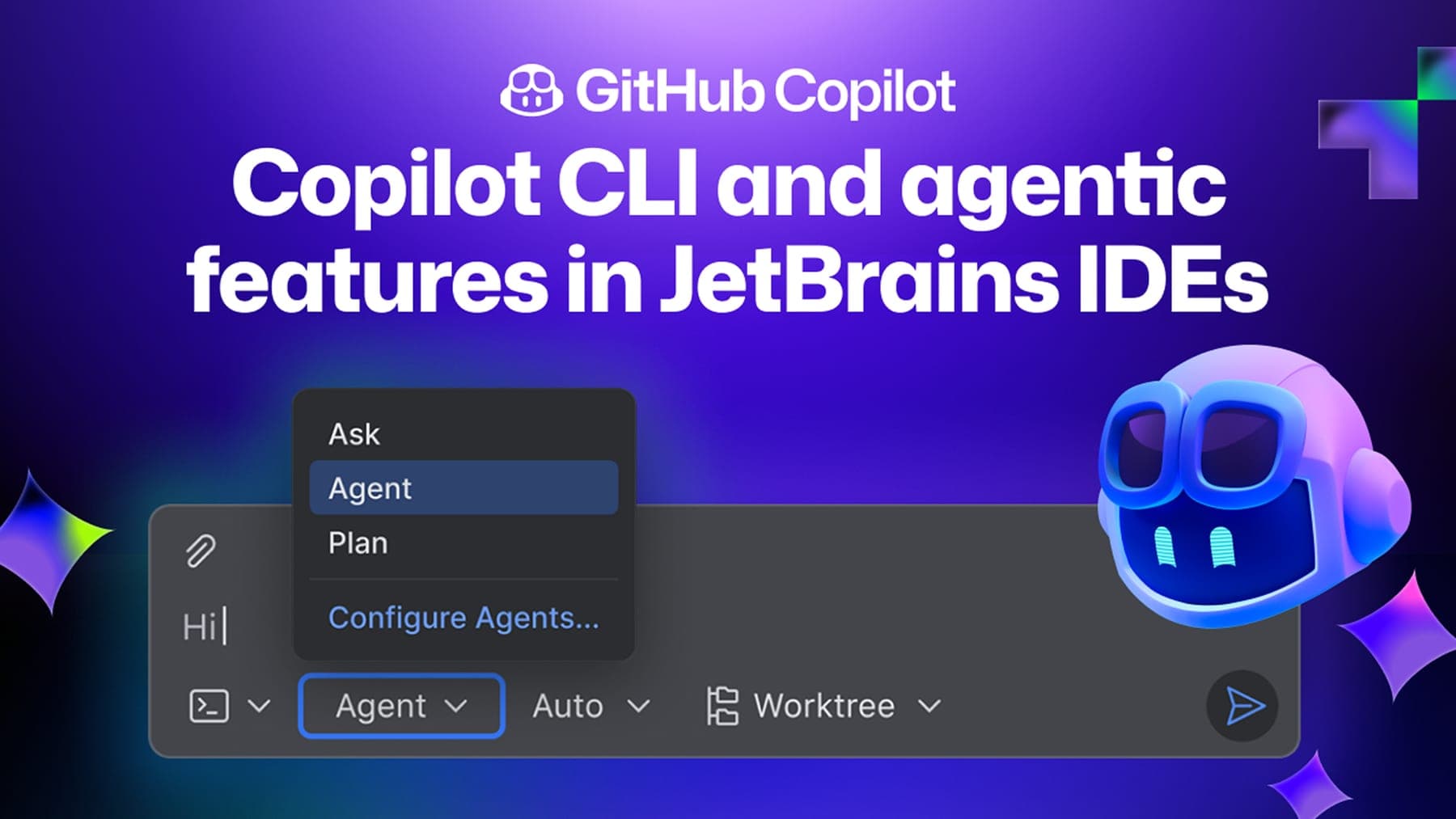
GitHub Copilot for IDEs
Human-Agent Interaction Design for Cross-Platform Developer Workflows
I worked on the Copilot plugins for Eclipse and IntelliJ, and will walk through the design process across both.
- Role
- Product Designer
- Team
- Cross-functional team of designers, researchers, PMs, and engineers
- Timeline
- May 2025 – July 31, 2026
- Scope
- · Defined cross-platform design strategy for Copilot experiences across Eclipse and IntelliJ · Owned UX design for GitHub Copilot in Eclipse · Contributed to IntelliJ experiences alongside fellow designers · Designed agent-driven workflows, context management, and failure recovery experiences · Partnered with engineers through implementation and launch.

Chapter 1
Understanding the Product
Users
Primary users are developers, operators, and QA engineers working inside IDEs. A large share of adoption comes from B2B enterprise buyers who purchase Copilot for teams — so the experience must serve both individual practitioners and organizational buyers who care about control, clarity, and scale.
- GitHub Copilot users worldwide
- 20M+
- Fortune 100 adoption
- 90%
- Supported IDEs
- Cross-platform
VS Code · IntelliJ · Visual Studio · Xcode · Eclipse
Copilot user scale
- All-time users
Cumulative all-time users · public Microsoft / GitHub milestones IDE footprint among Copilot platforms
- VS Code51%
- Visual Studio19%
- IntelliJ18%
- Xcode7%
- Eclipse5%
Relative share of Stack Overflow 2025 IDE usage among Copilot-supported editors (normalized). Official Copilot MAU by IDE is not published. Sources: Microsoft earnings / TechCrunch (20M+ all-time users, Jul 2025; 90% Fortune 100); GitHub public milestones (1M Dec 2022, 15M Apr 2025). IDE bars use Stack Overflow Developer Survey 2025 usage among Copilot-supported IDEs, normalized to 100% — a public proxy for relative footprint, not internal plugin MAU.
Typical Workflow
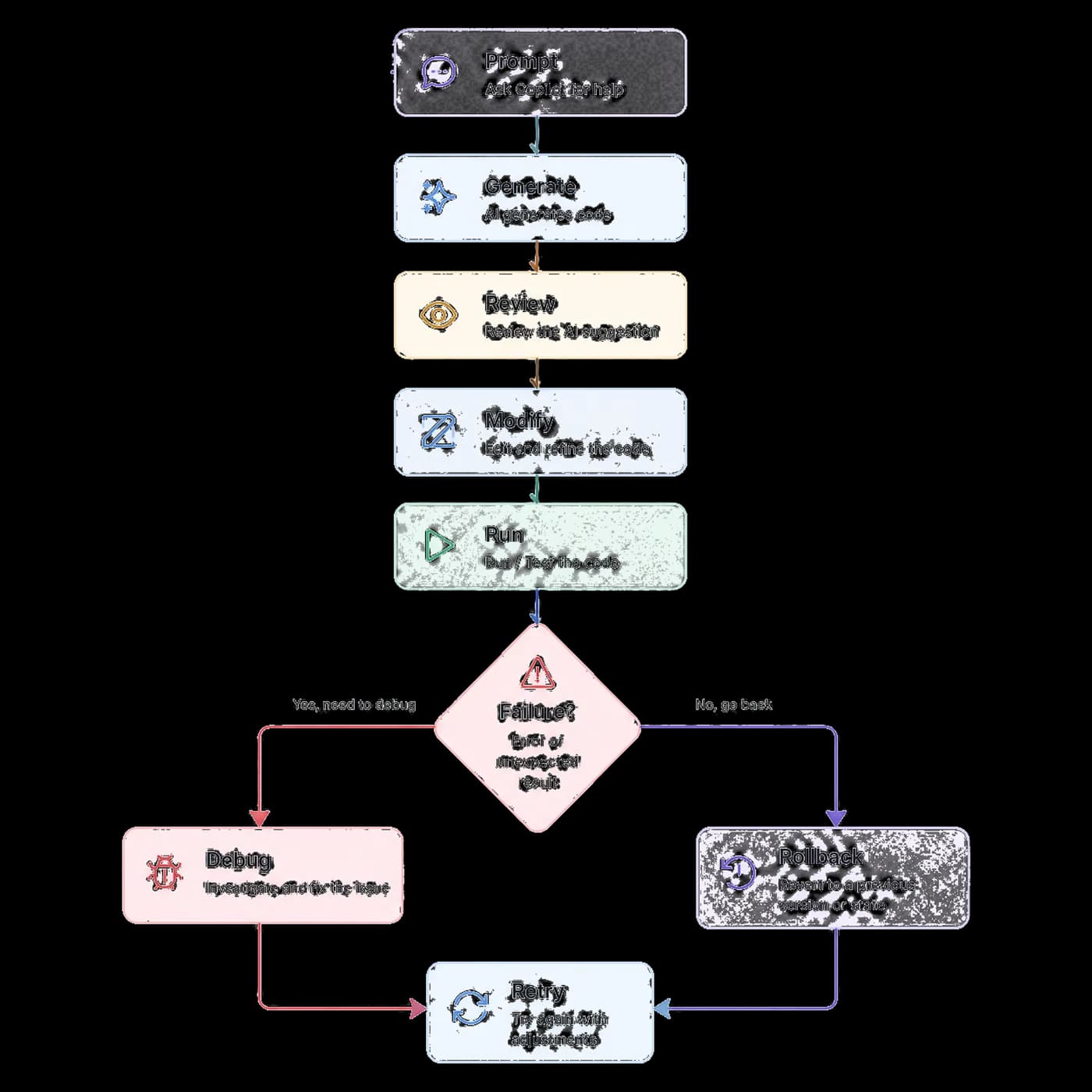
How developers collaborate with GitHub Copilot across a coding task — from understanding goal and context through plan, implement, test, iterate, and ship — with retry and rollback paths when things go wrong.
AI Capability
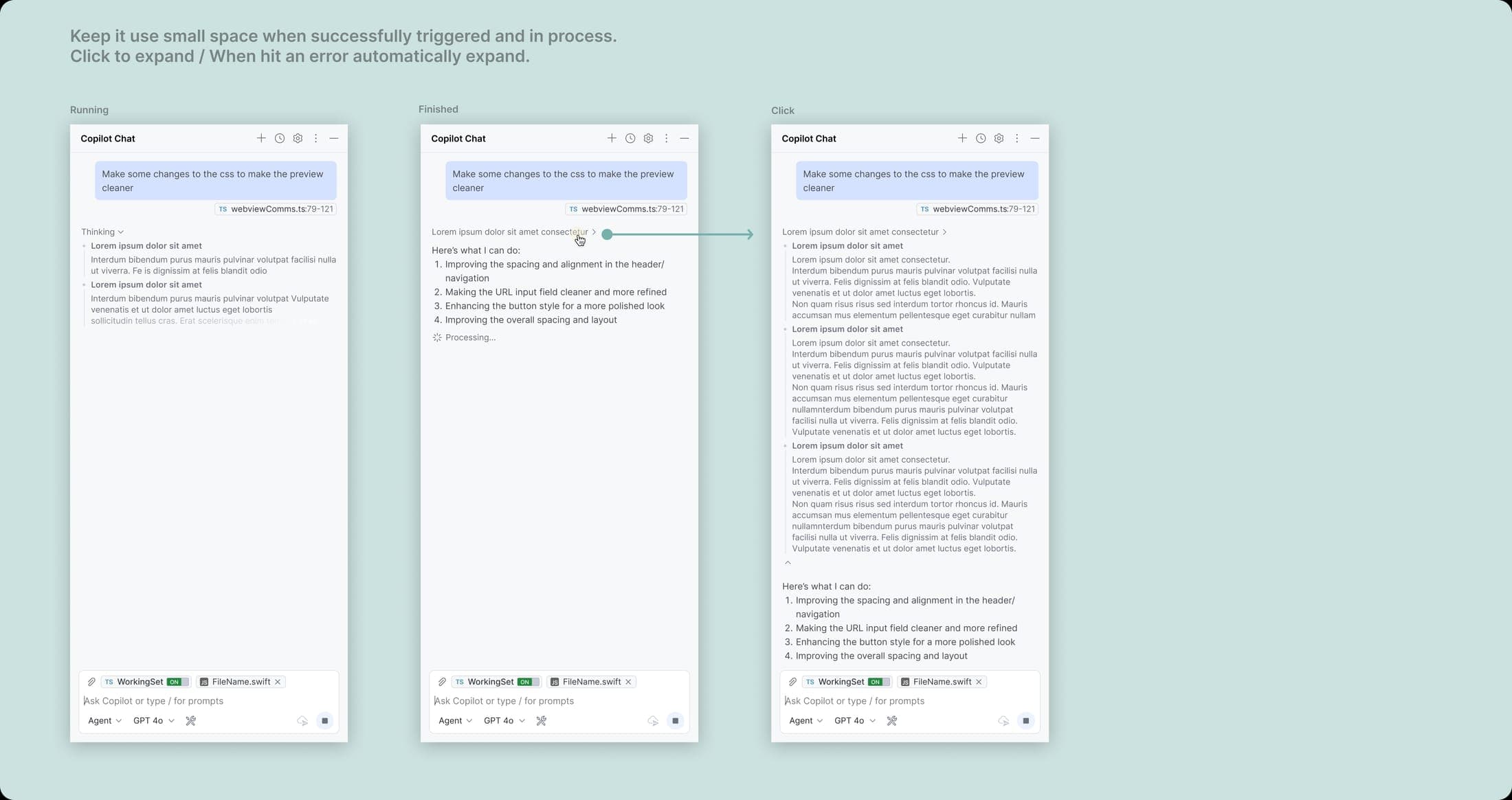
We selectively reveal agent content to users: information that is not critical while the agent is running is collapsed to improve screen efficiency, while users can manually expand it to inspect details. When an error occurs, the full details expand by default so users can locate the issue.
More autonomyvsMore predictabilitySub-agent Design


Thinking Process
Context Understanding + Awareness
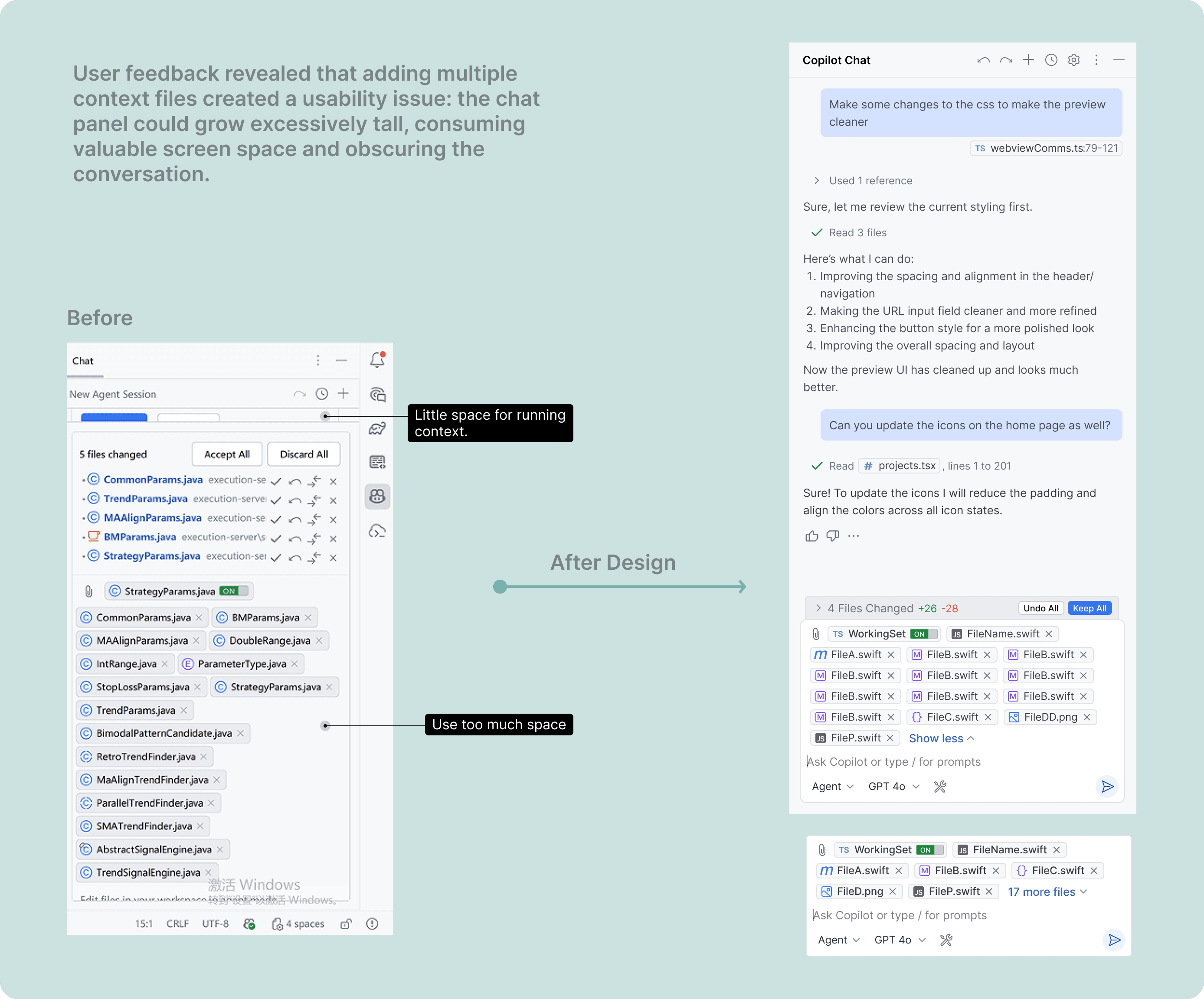
Collecting User's Feedback
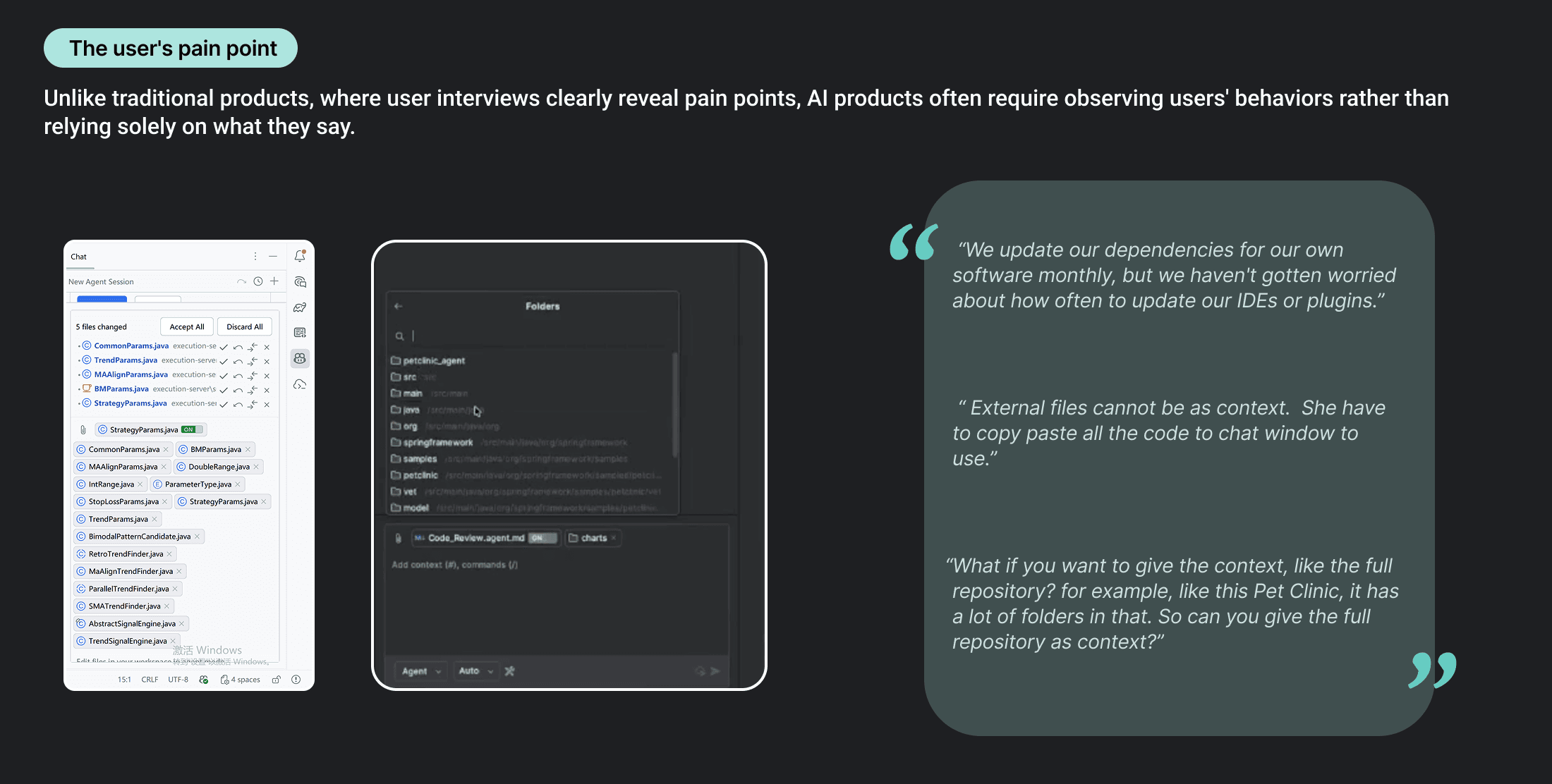
Chapter 2
Beyond Happy Path: Building Trust in AI Coding
When AI is powerful, how do we design for mistakes, uncertainty, and human control?
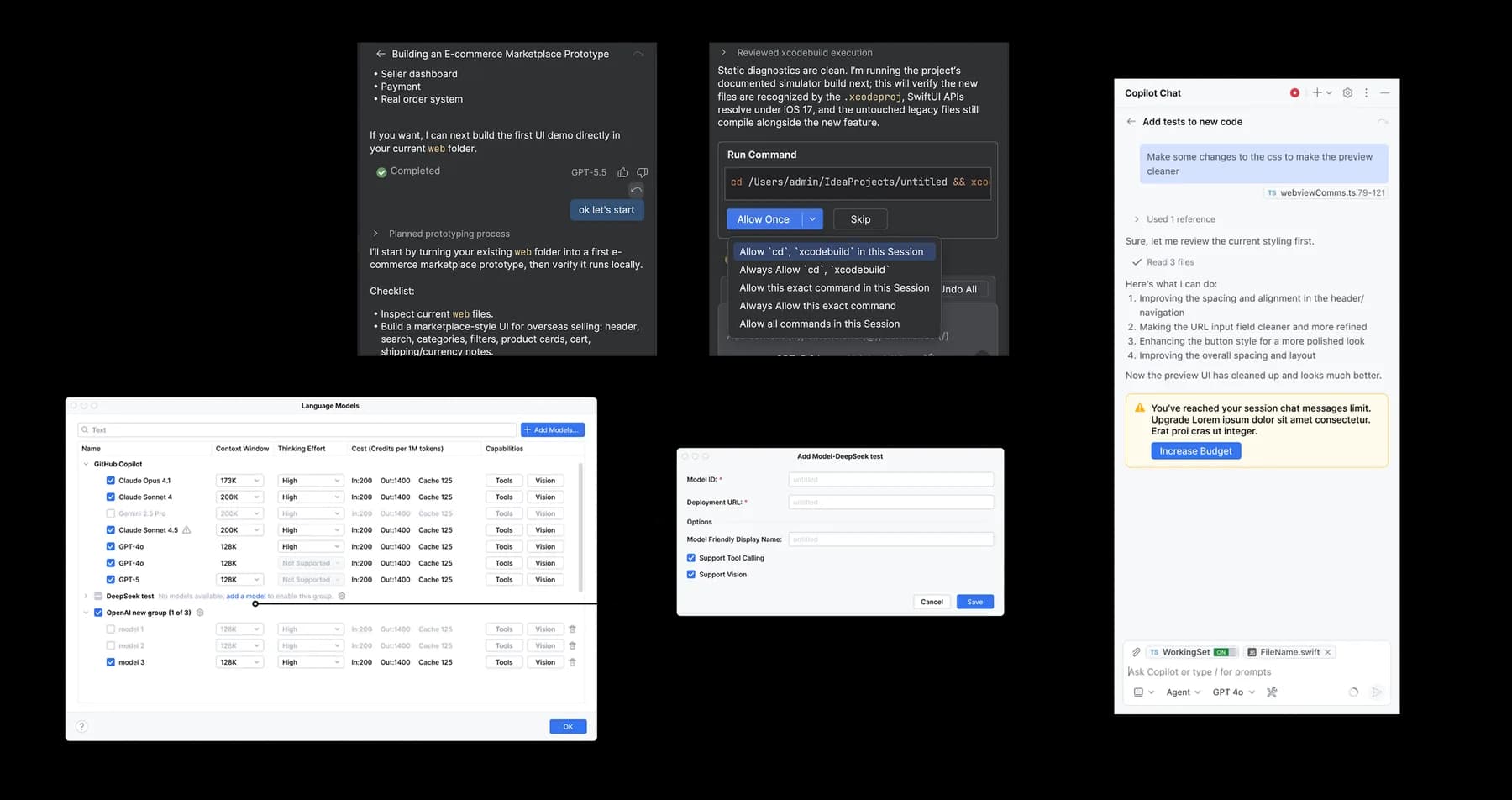
Traditional software workflows are largely linear, but AI coding is full of uncertainty. The agent may fail, need to retry, or roll back — so the experience has to give developers more control. AI accelerates coding, but it also amplifies uncertainty.
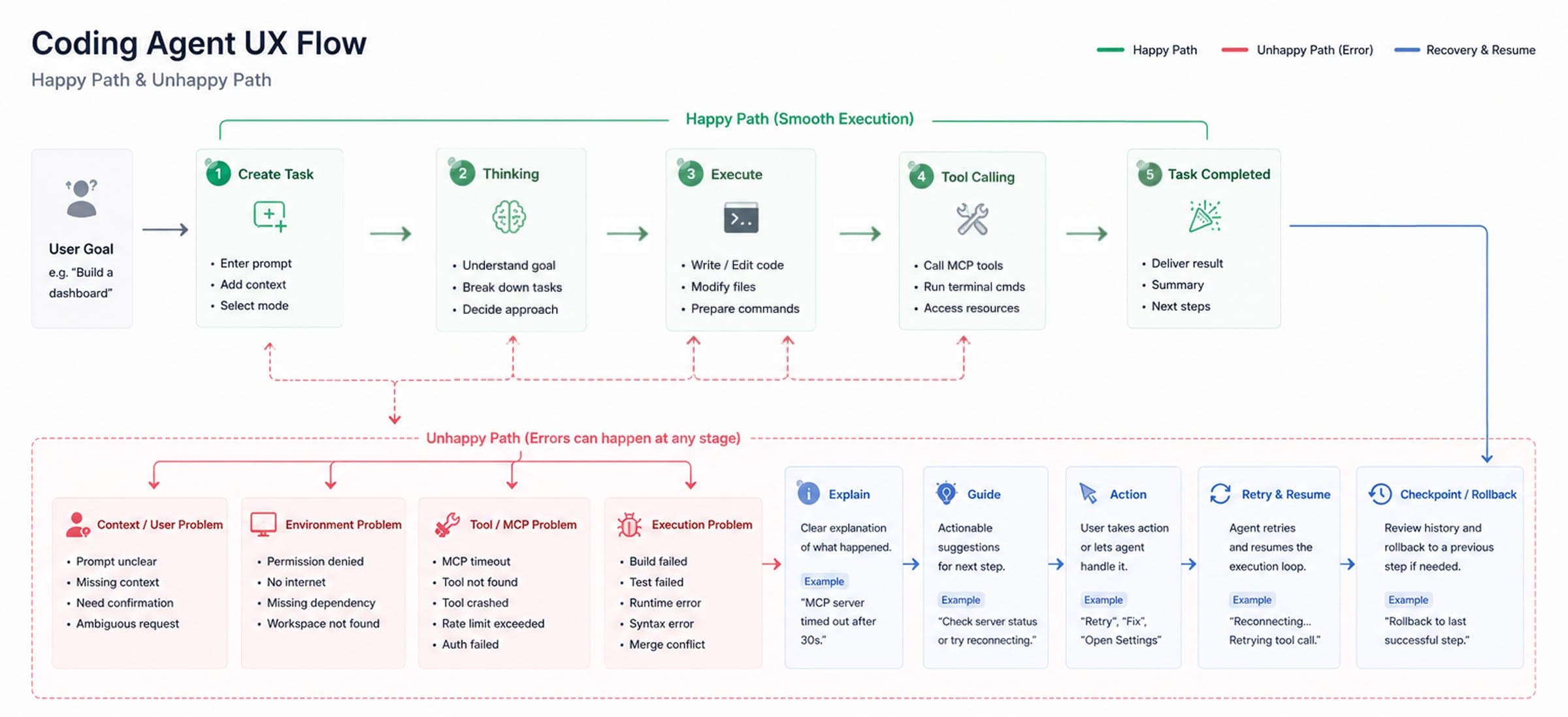
Insight 01
Developers don't follow one path
Multiple files. Multiple tasks. Multiple AI conversations.
Insight 02
AI can make mistakes faster
Faster generation ≠ faster confidence.
Insight 03
Developers need control points
Review. Modify. Undo. Switch context.
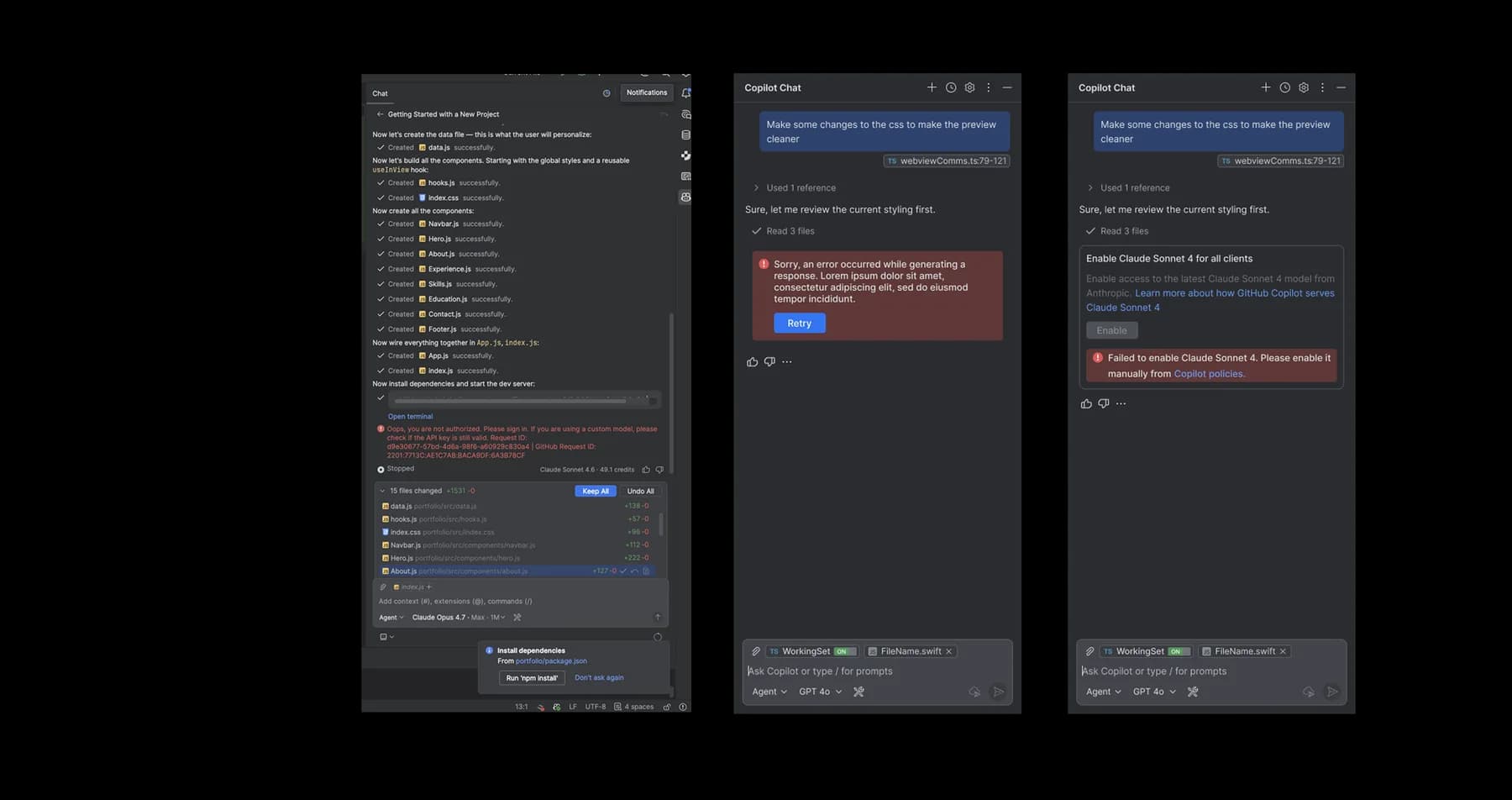
Chapter 3
Core Feature Design
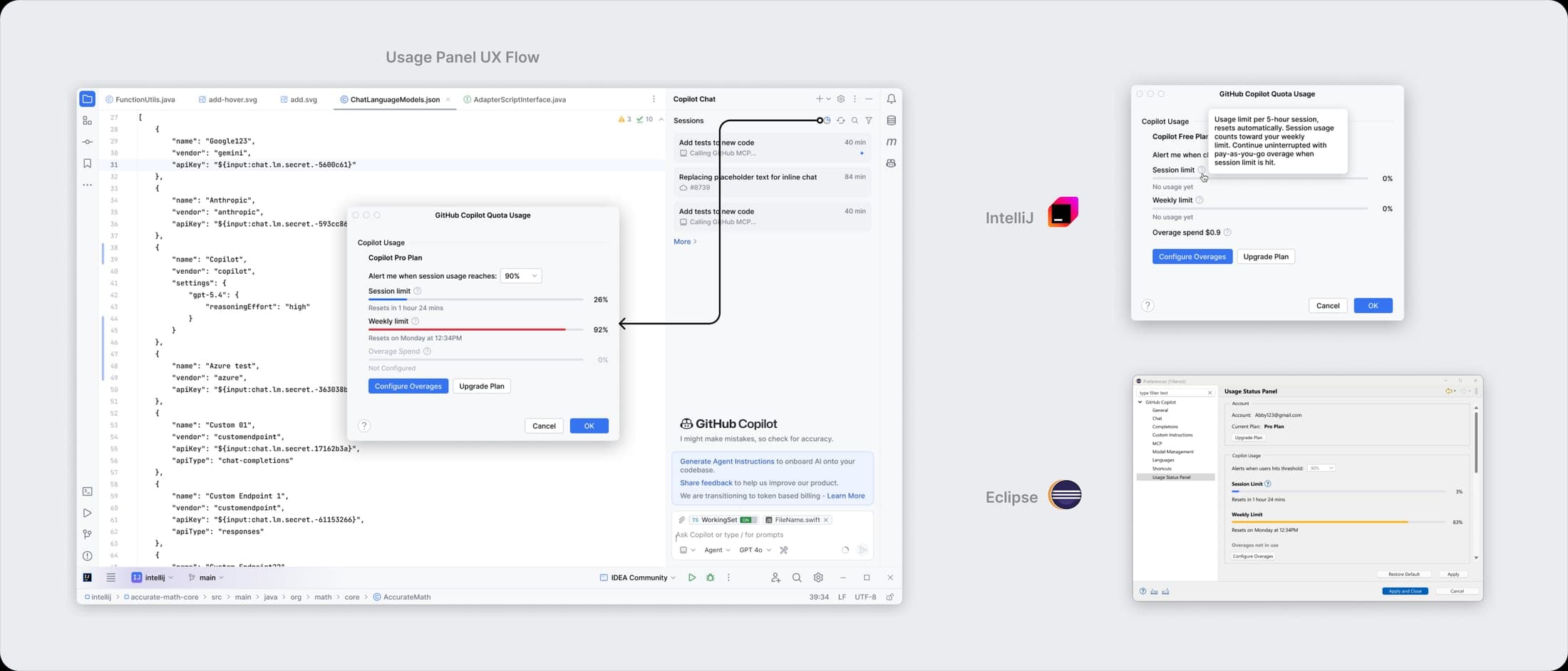
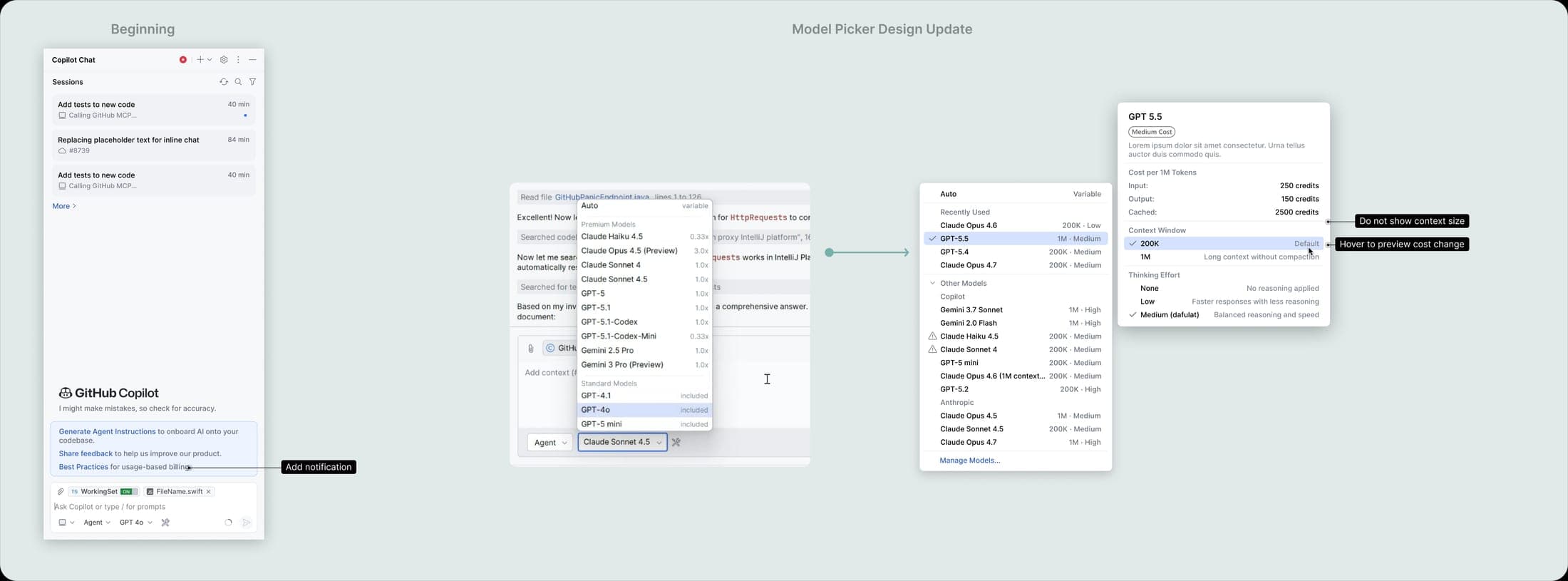
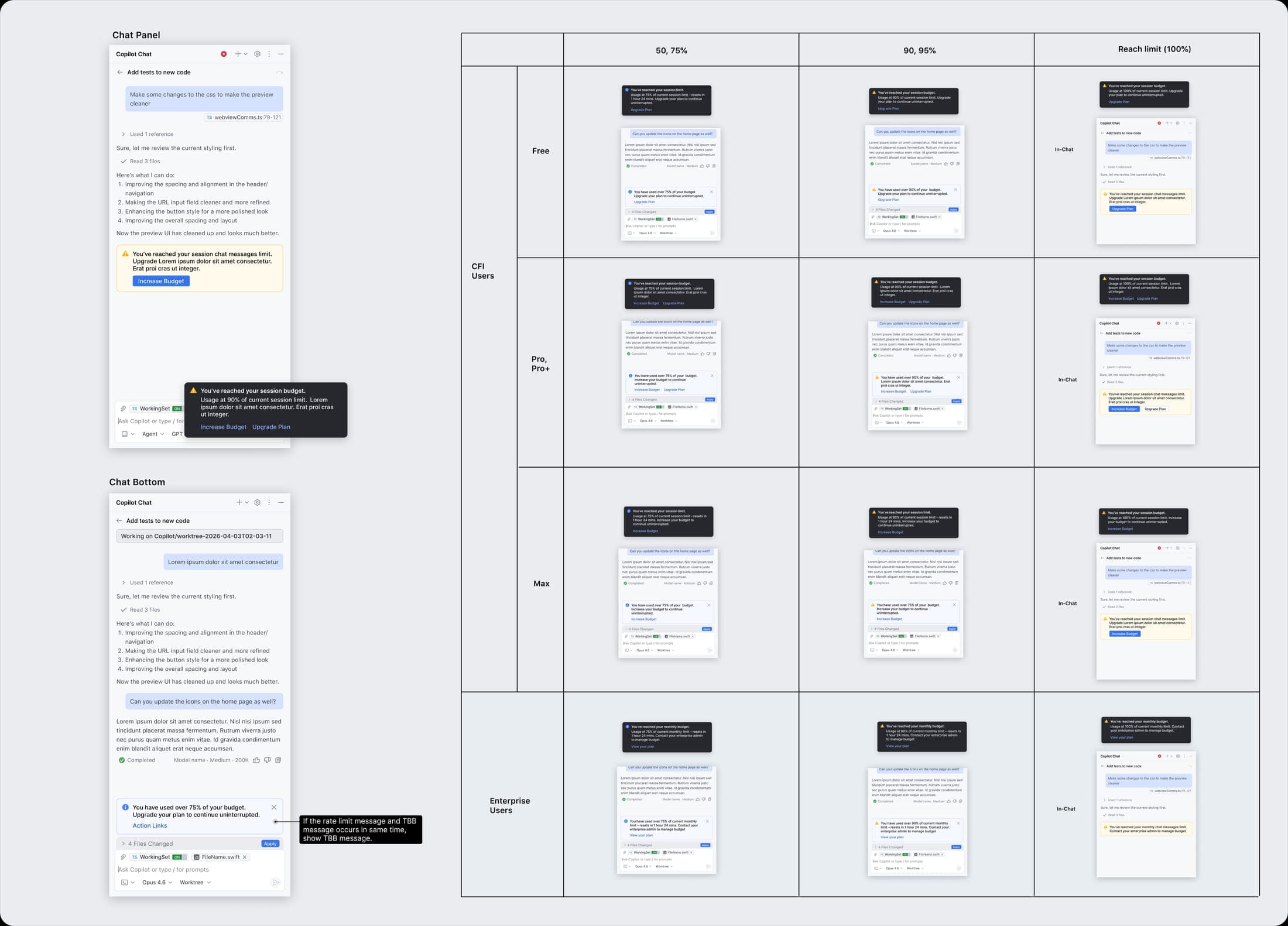
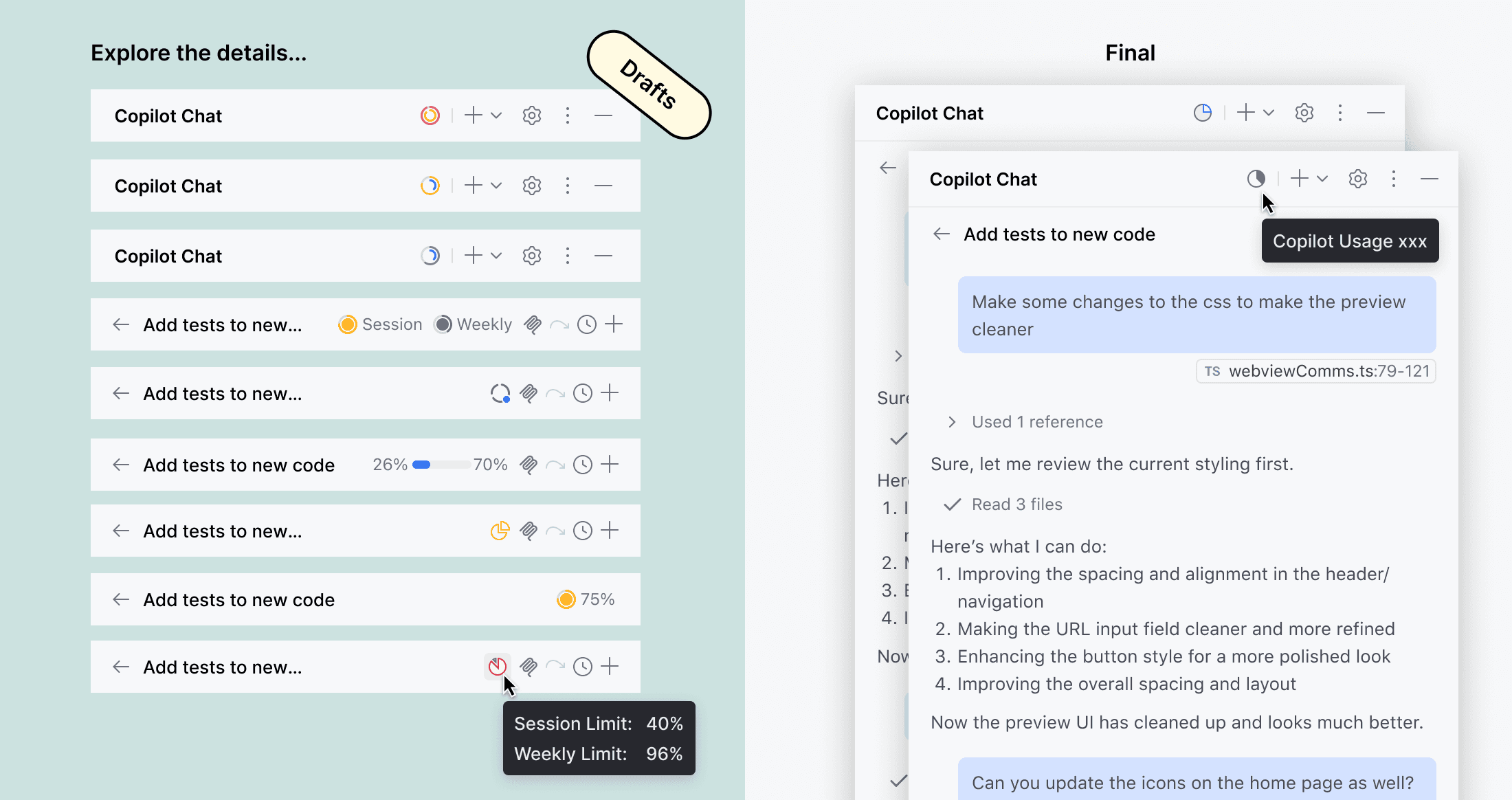
01Cost Transparency
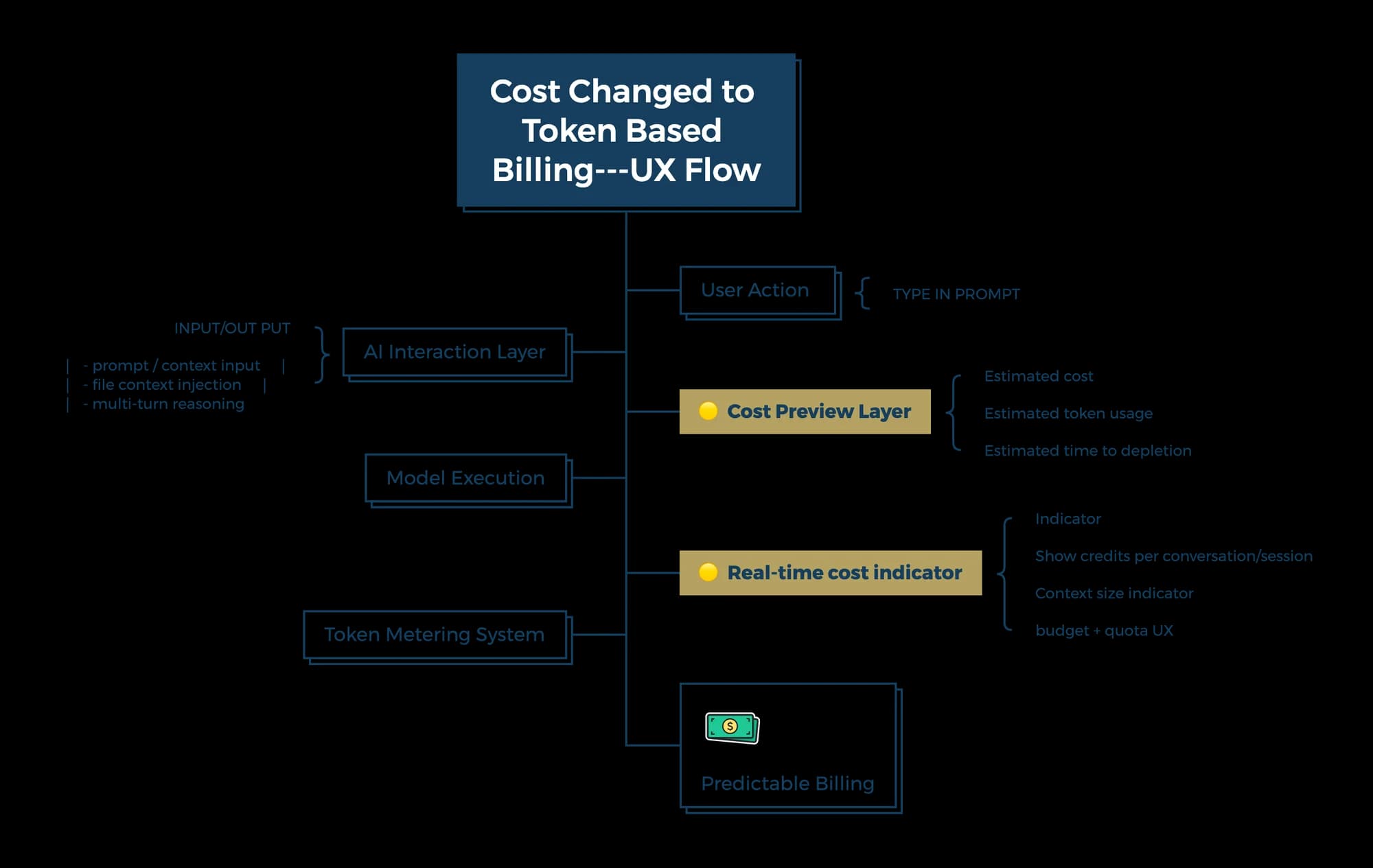
Real time cost indicator
02NES (Nest Edit Suggestions)
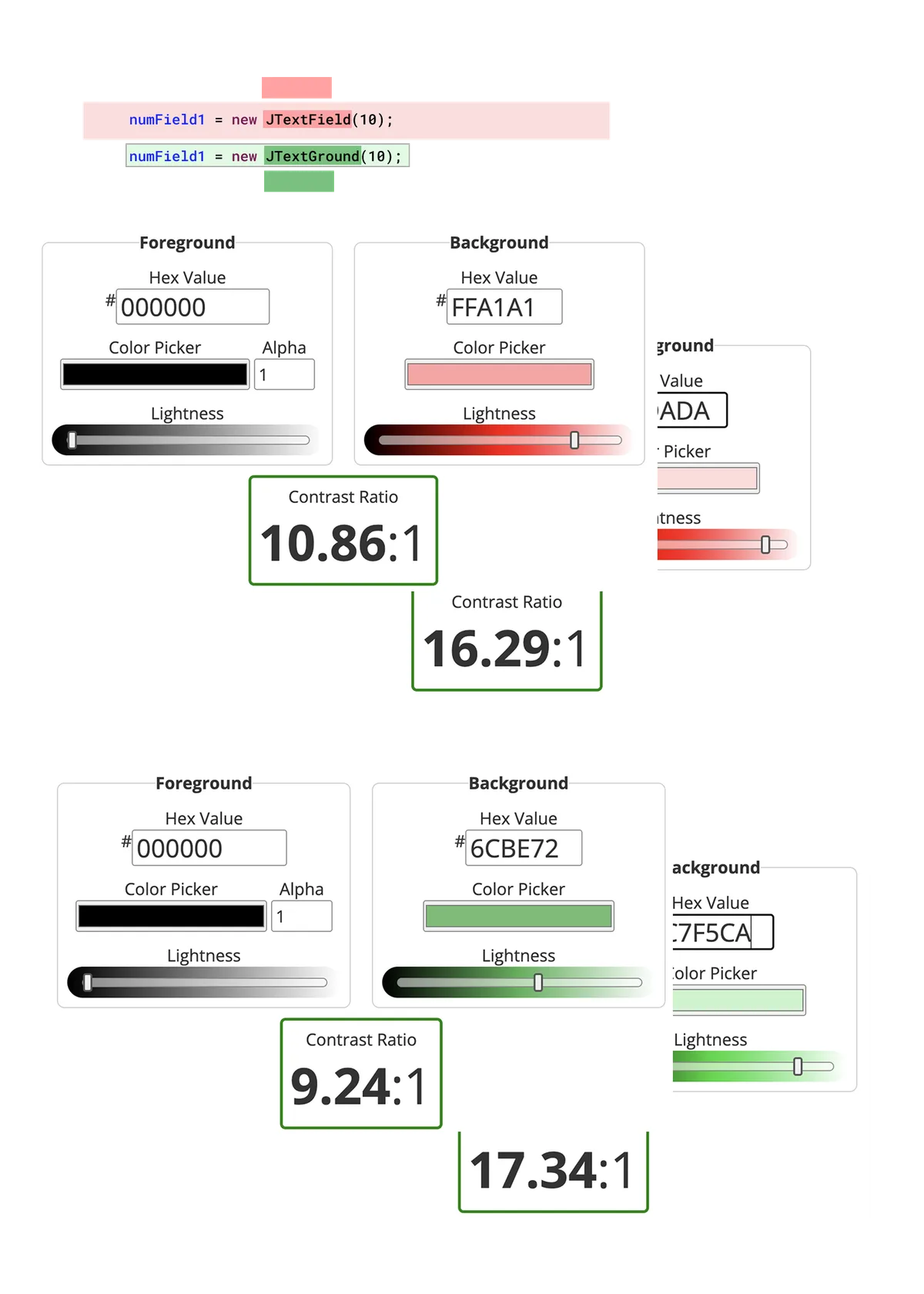
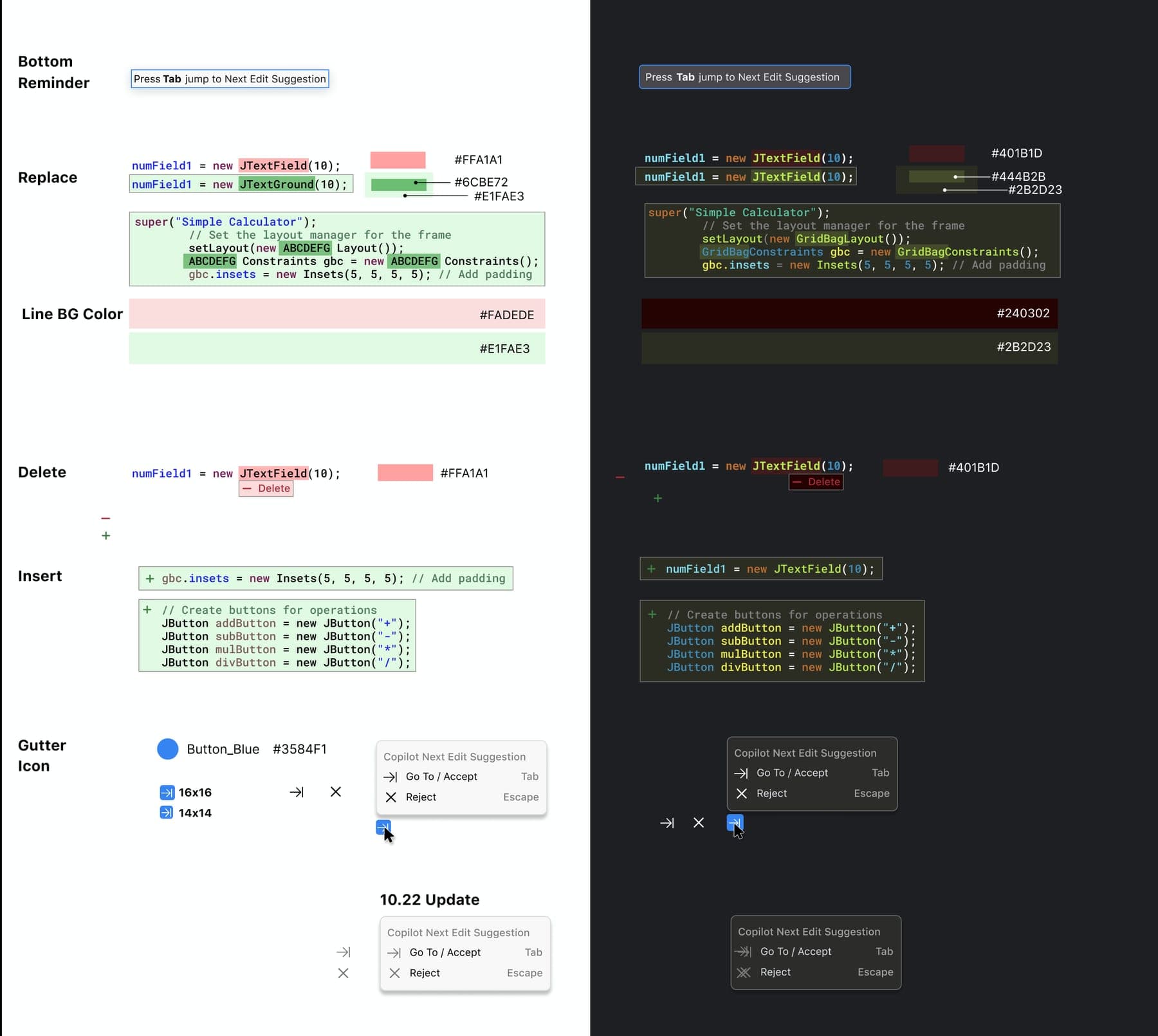
A Code Completion capability that surfaces next-edit suggestions directly in the editor — so the main interaction loop stays inside the coding surface, not a separate chat panel.
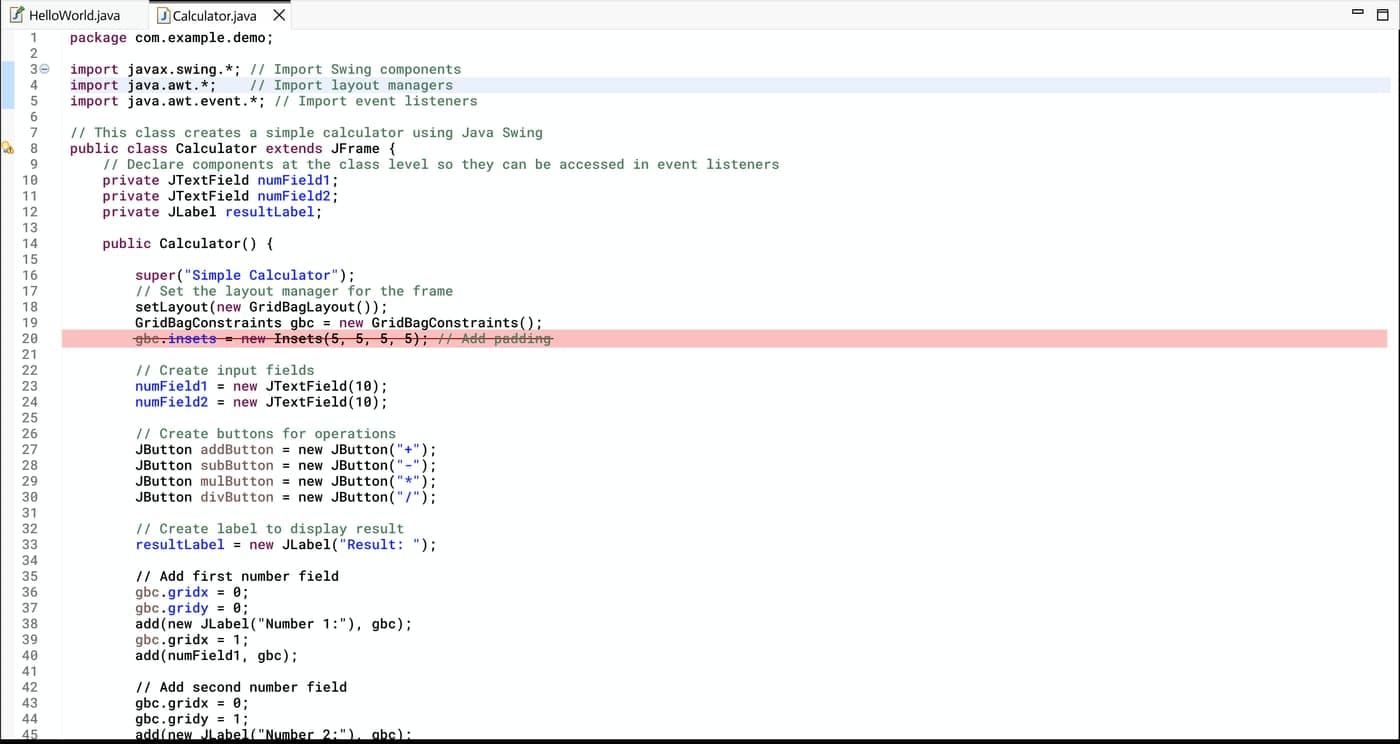
Delete
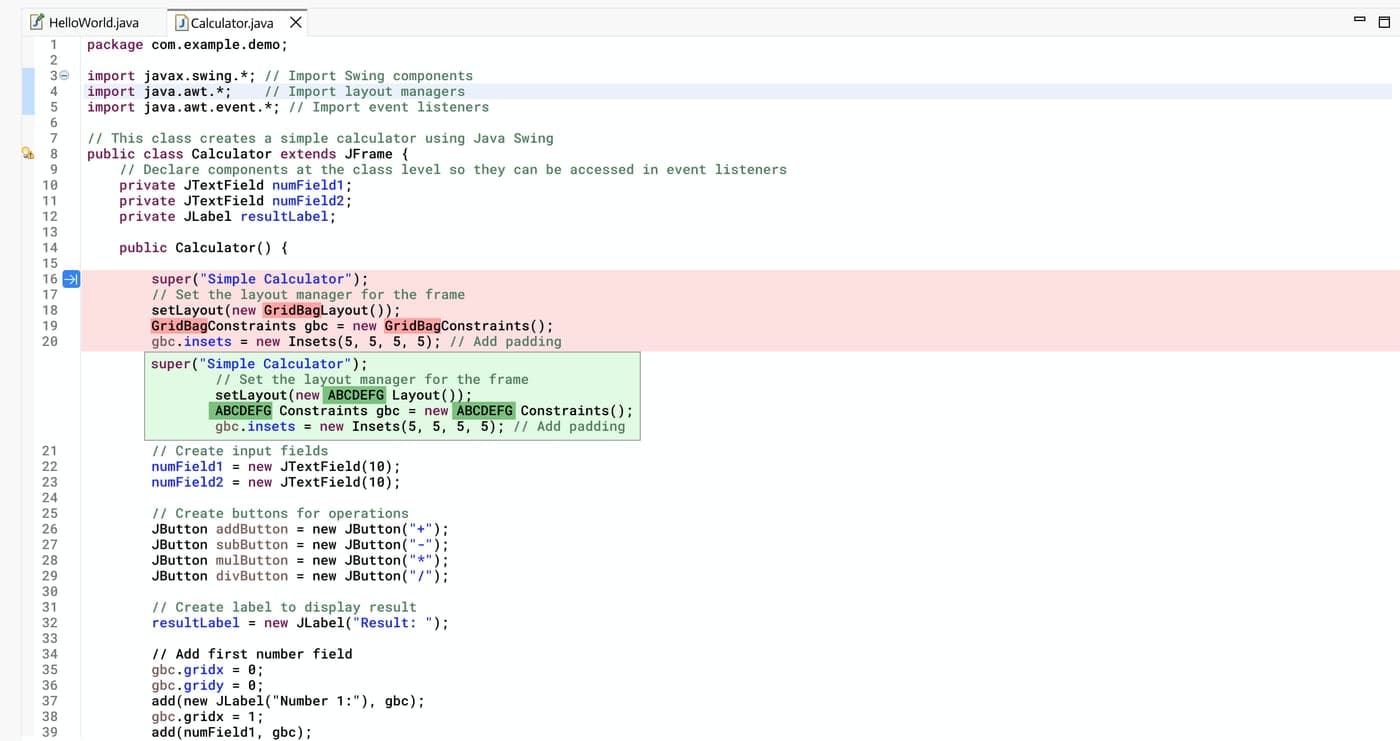
Replace
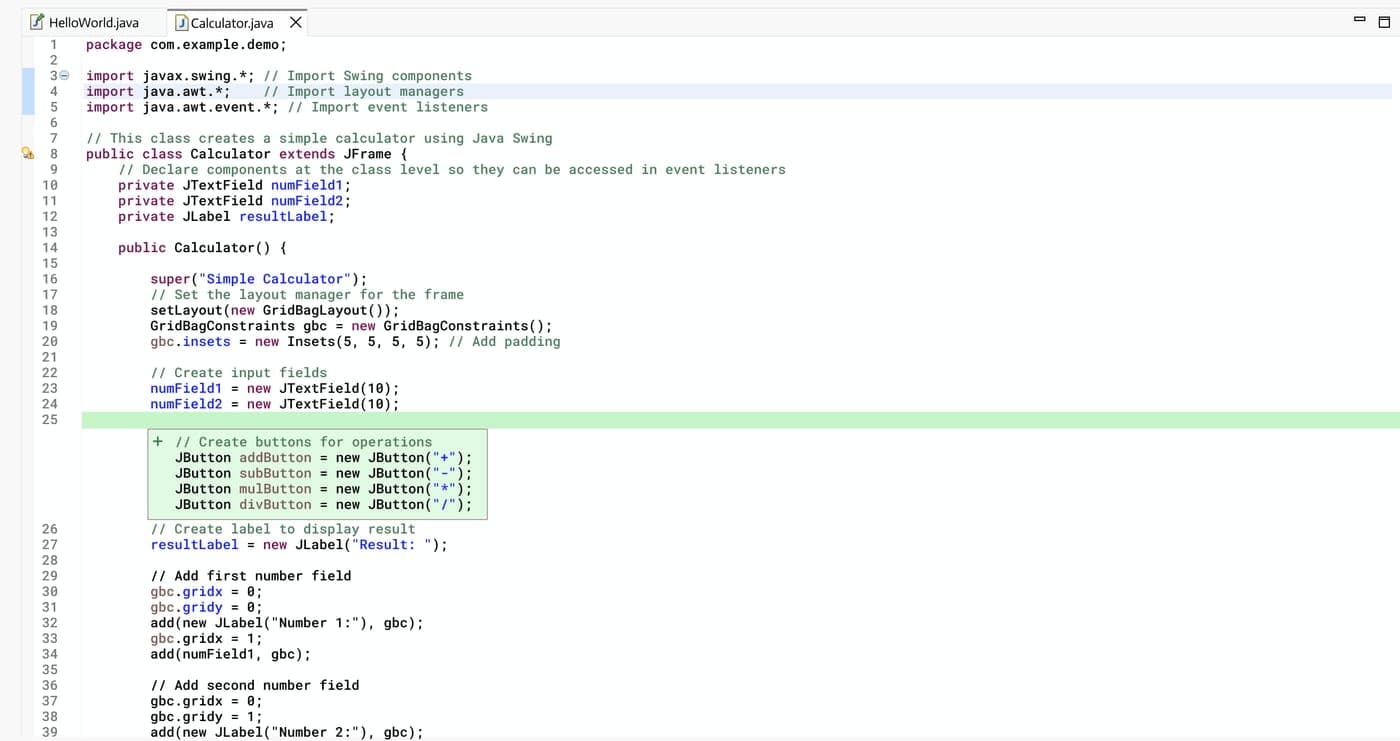
Add
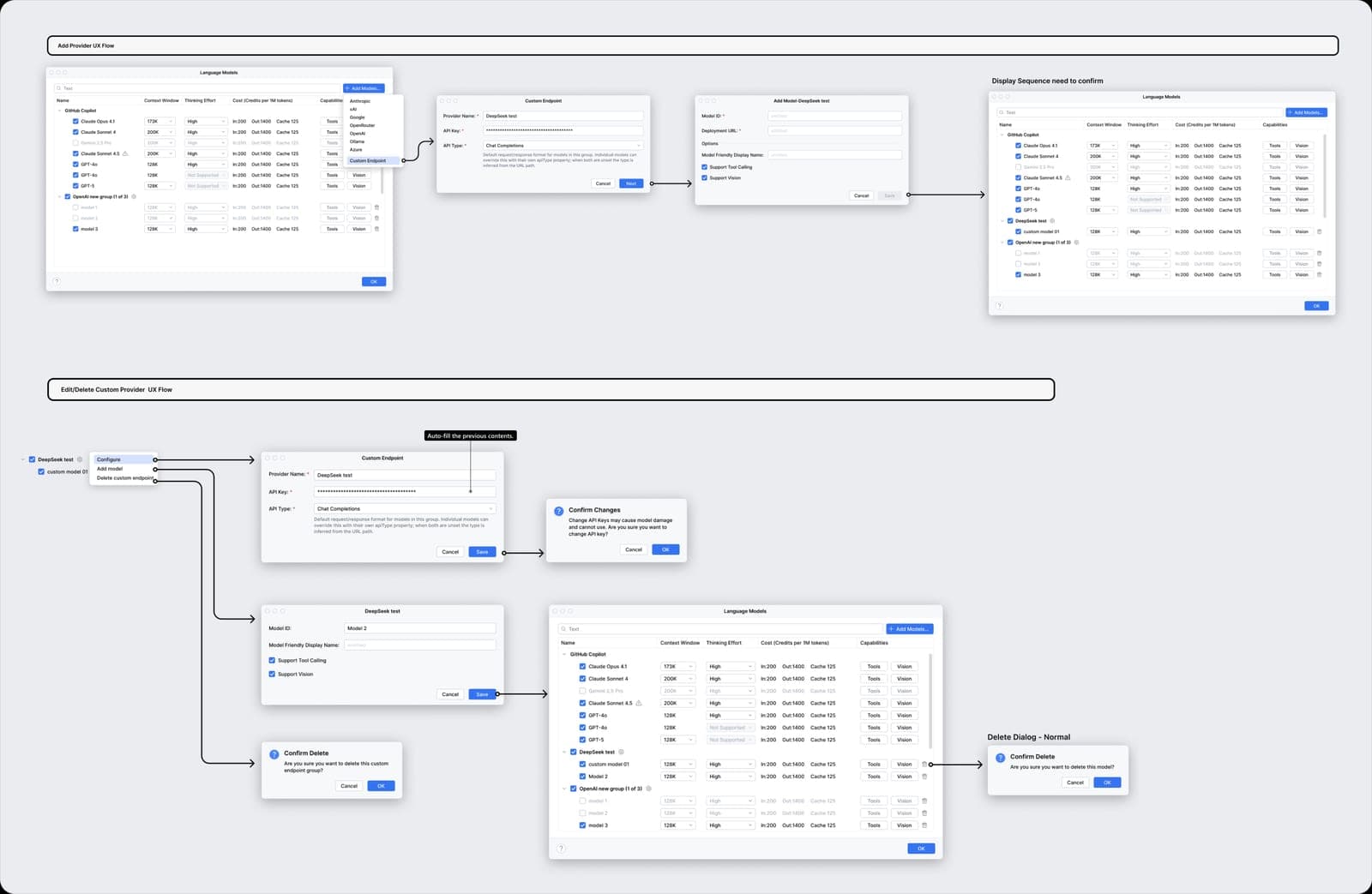
03AI Model Management
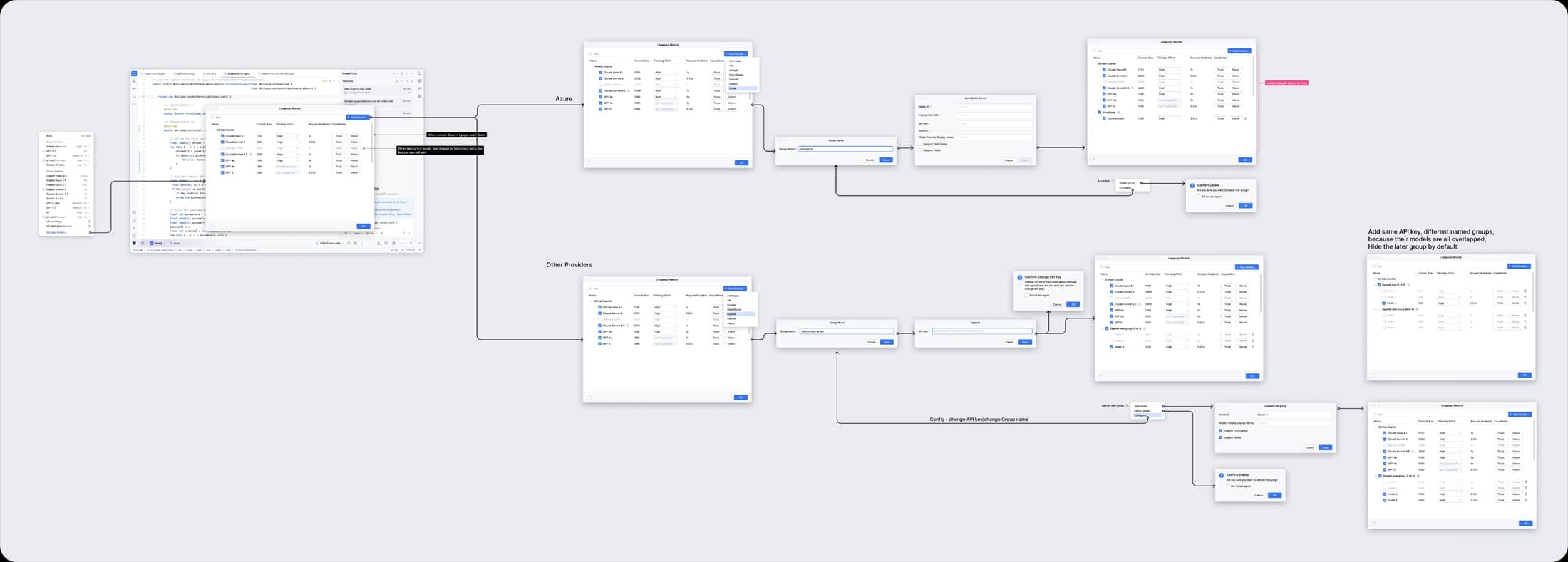
BYOK (Bring Your Own Key) lets developers use their own models inside Copilot — including domestic LLMs — via personal API keys and custom endpoints, so teams can choose the model that fits their workflow, compliance, and cost needs.
Chapter 4
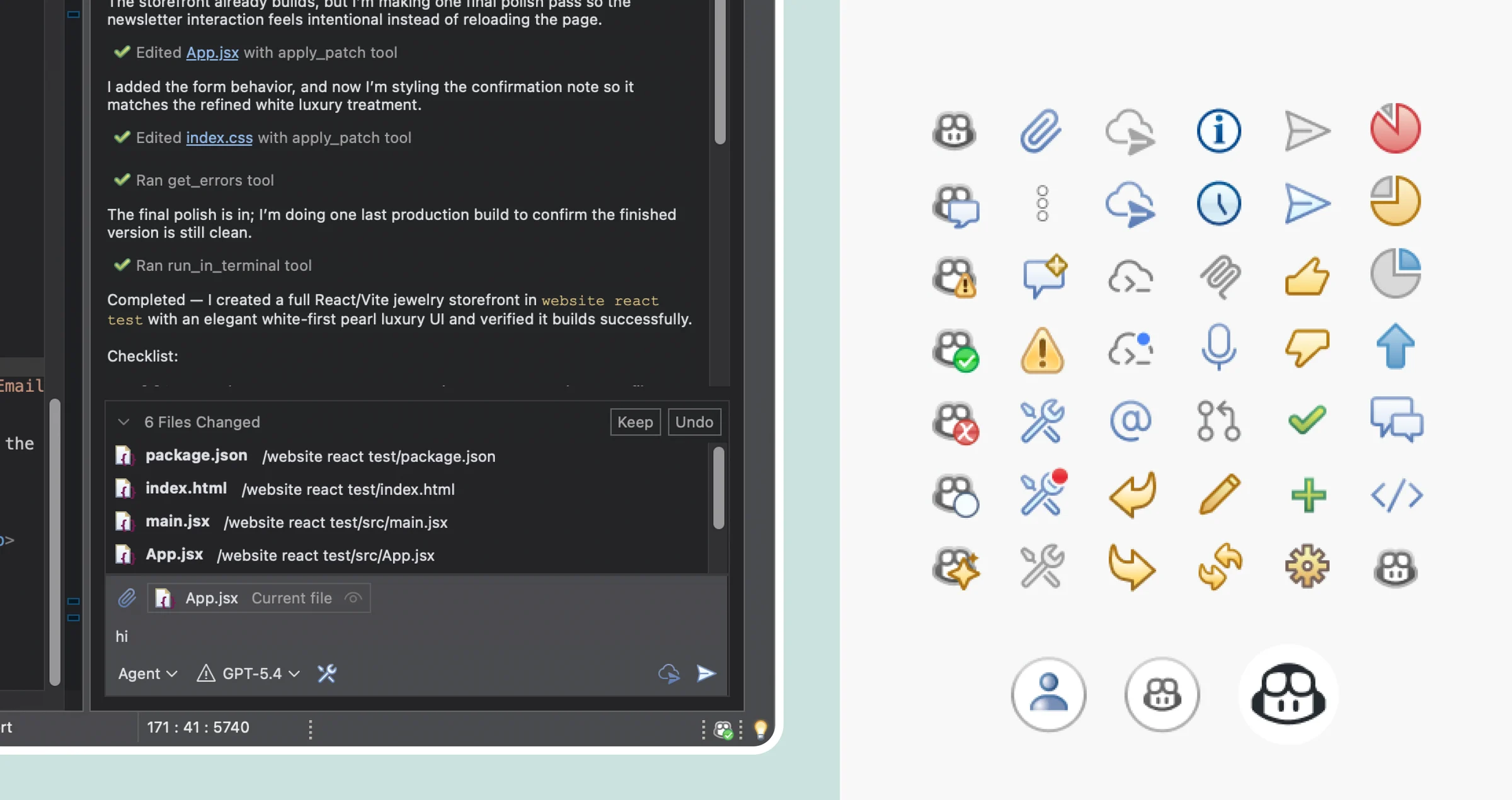
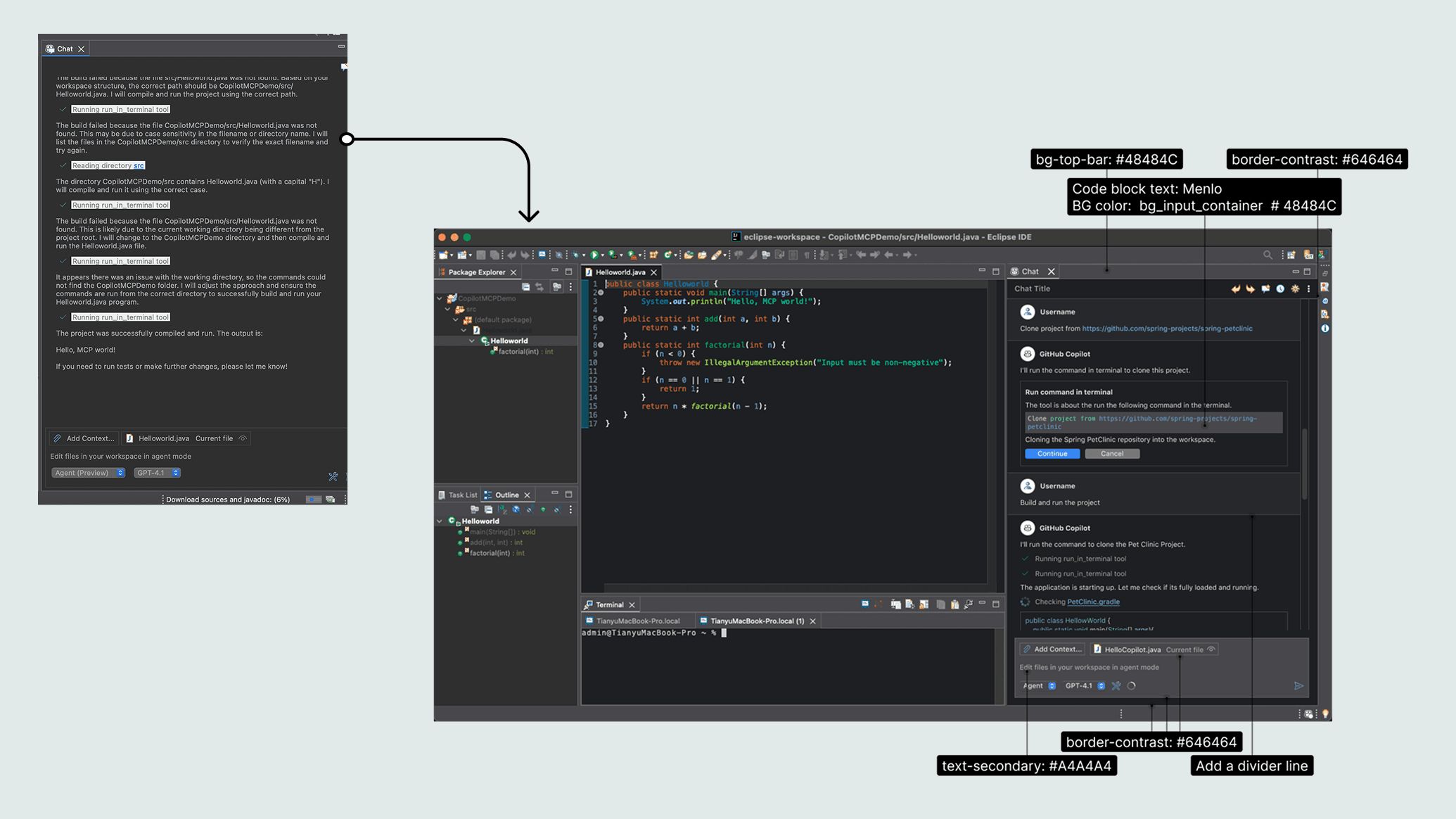
UI System Design, Visual Quality & Accessibility
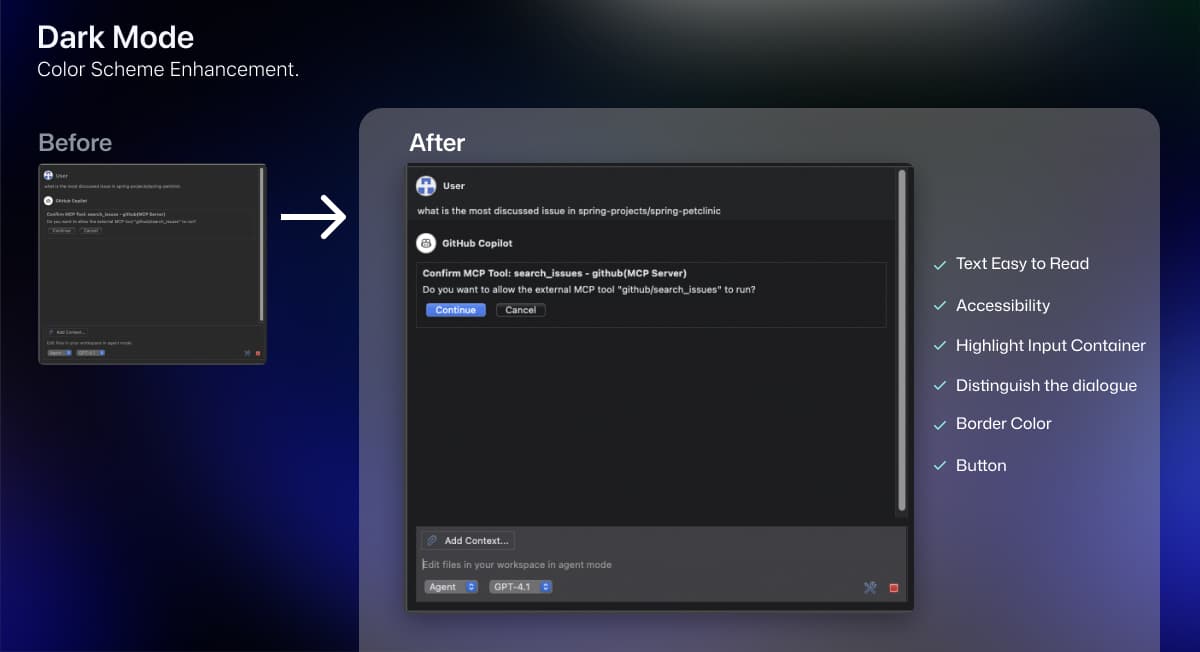
Design for Eclipse Quick Start — prepare for opensource

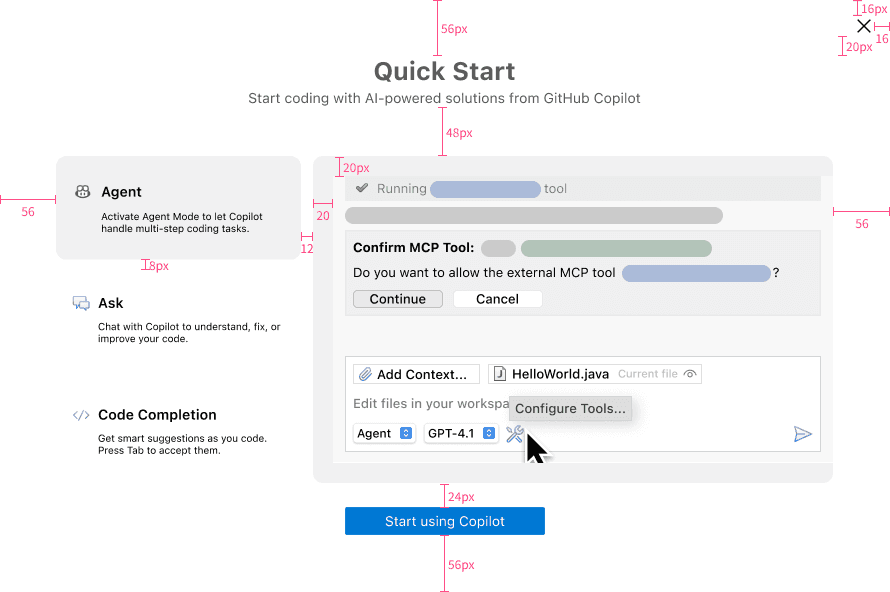
This guidance window automatically pops up for first-time Eclipse users.
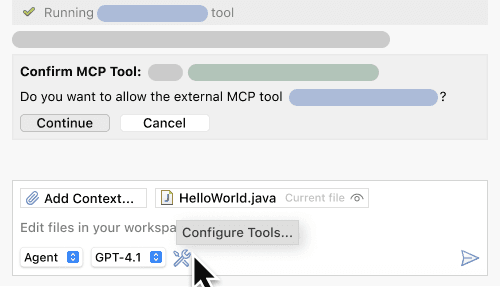
Agent
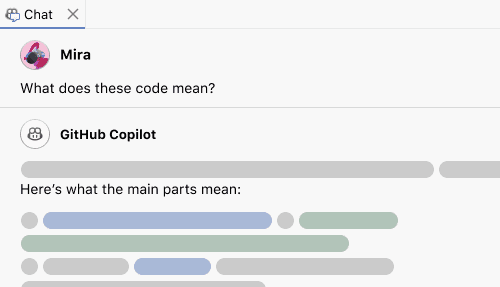
Ask
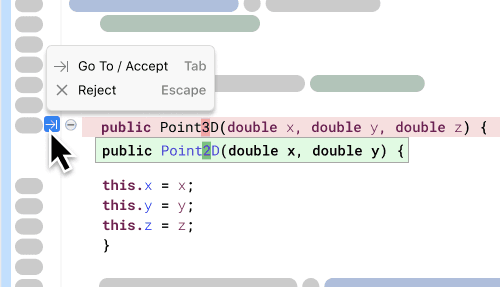
NES
Shipped on JetBrains Marketplace
Official plugin website screenshots featuring the product UI I designed — Agent, Ask, and Code Completion — as shown to users on the JetBrains Marketplace listing.
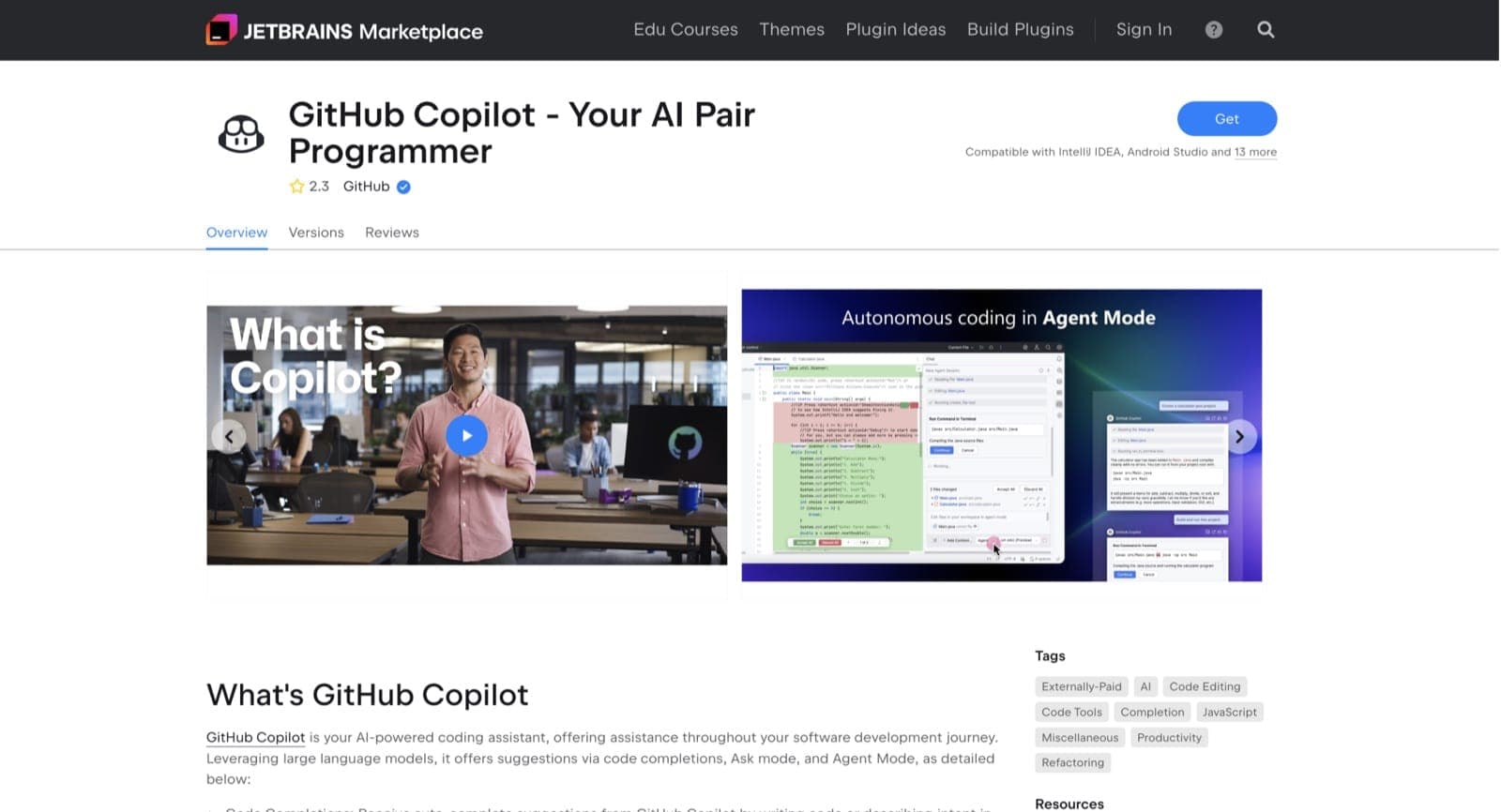
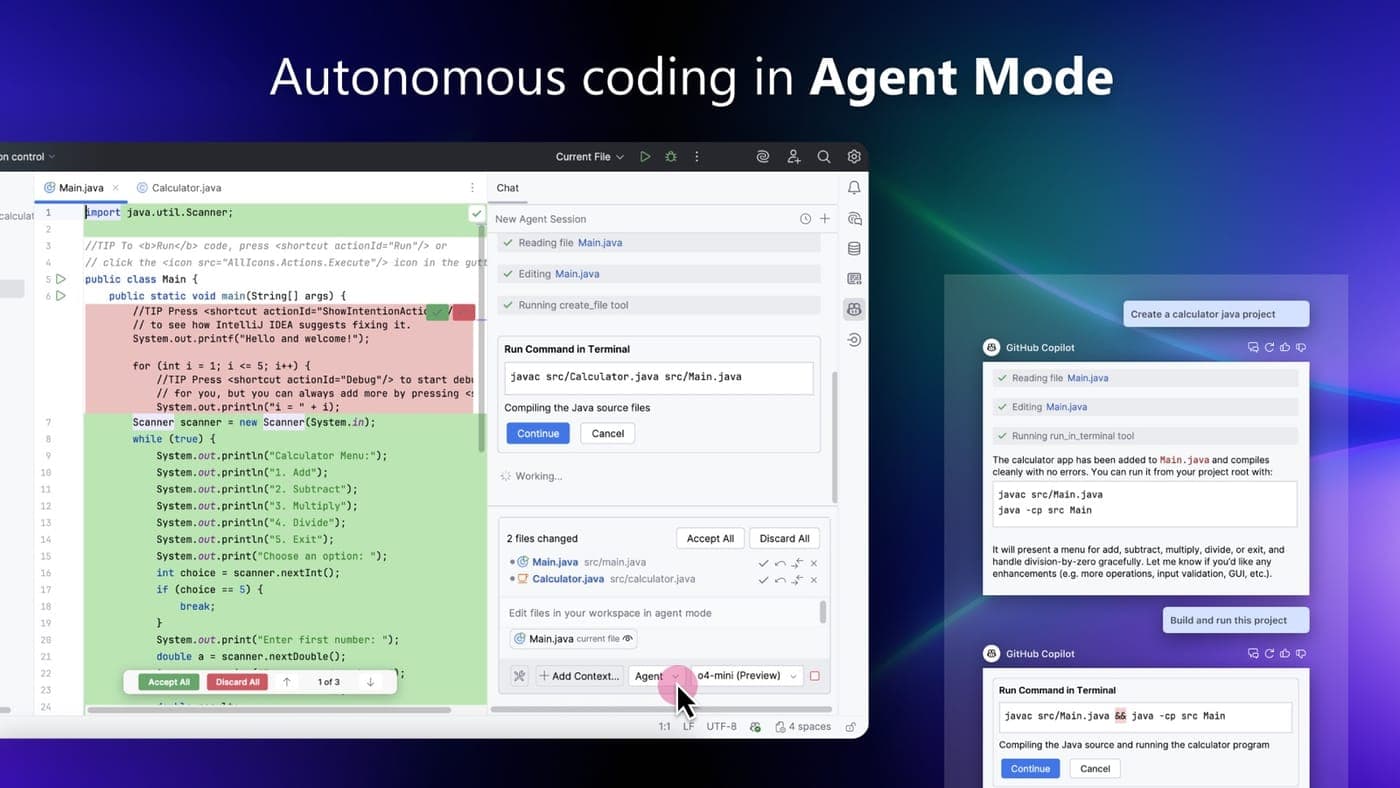
Agent
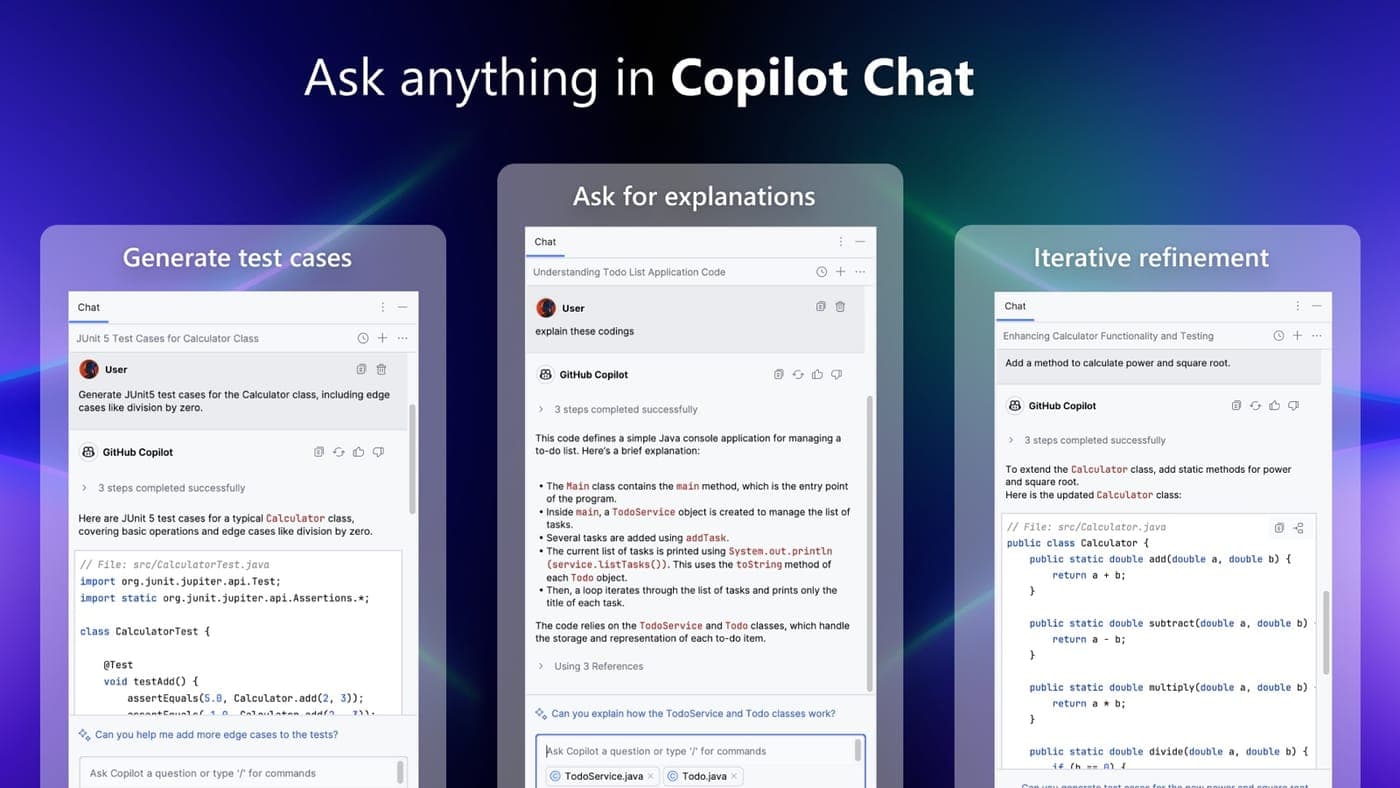
Ask
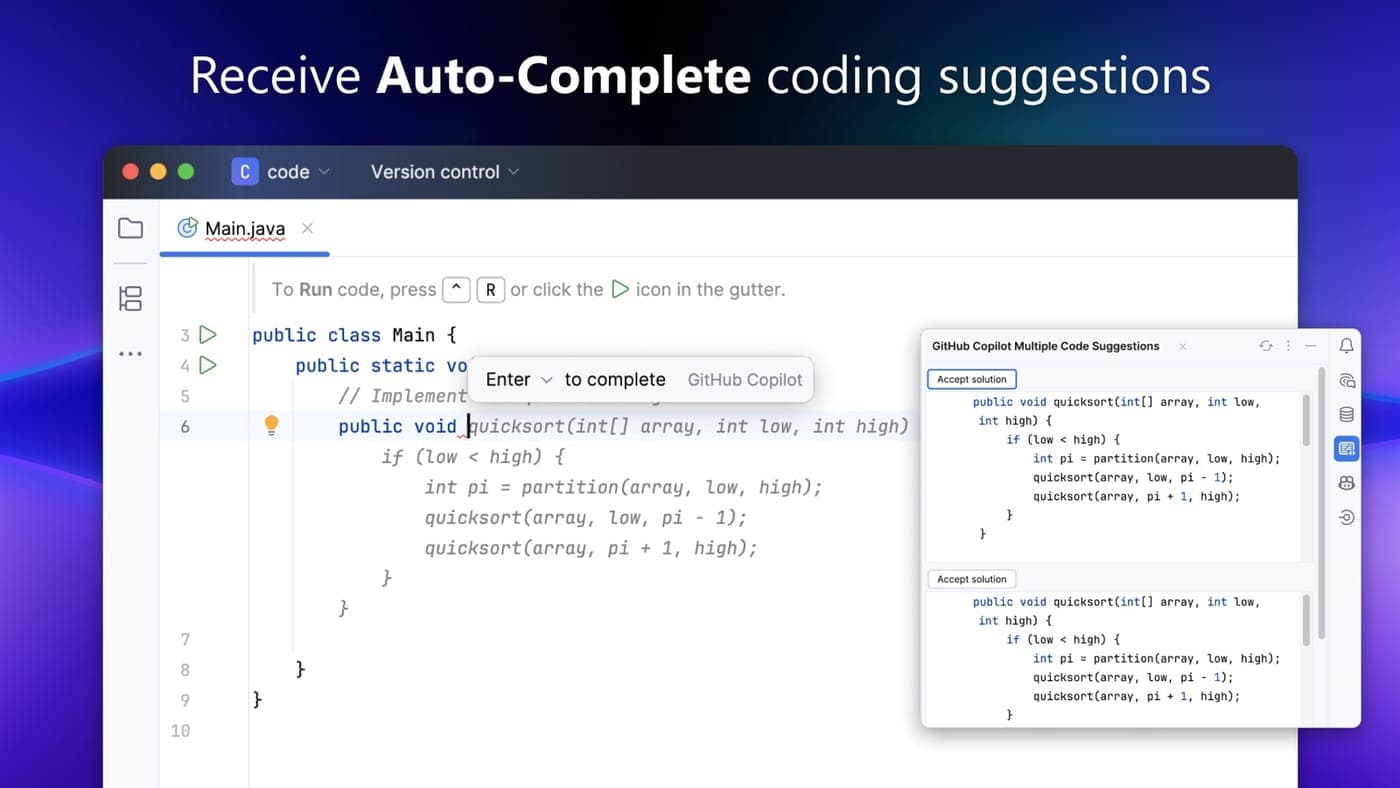
Code Completion