2024
Raymics On-Prem & Federated Learning
Extending the SaaS design system to hospital deployment and multi-institution collaboration
A 0–1 B2B platform for department directors and IT — multi-role permissions on-premises, plus federated learning across institutions without moving raw data.
- Role
- UX Designer
- Team
- Product · research, workflow, demo, and design-system reuse
- Timeline
- 2024
- Scope
- · Smooth interaction and design concepts supported million-level hospital contracts · Batch operations improved efficiency and reduced errors · Reused SaaS components to shorten development
Overview
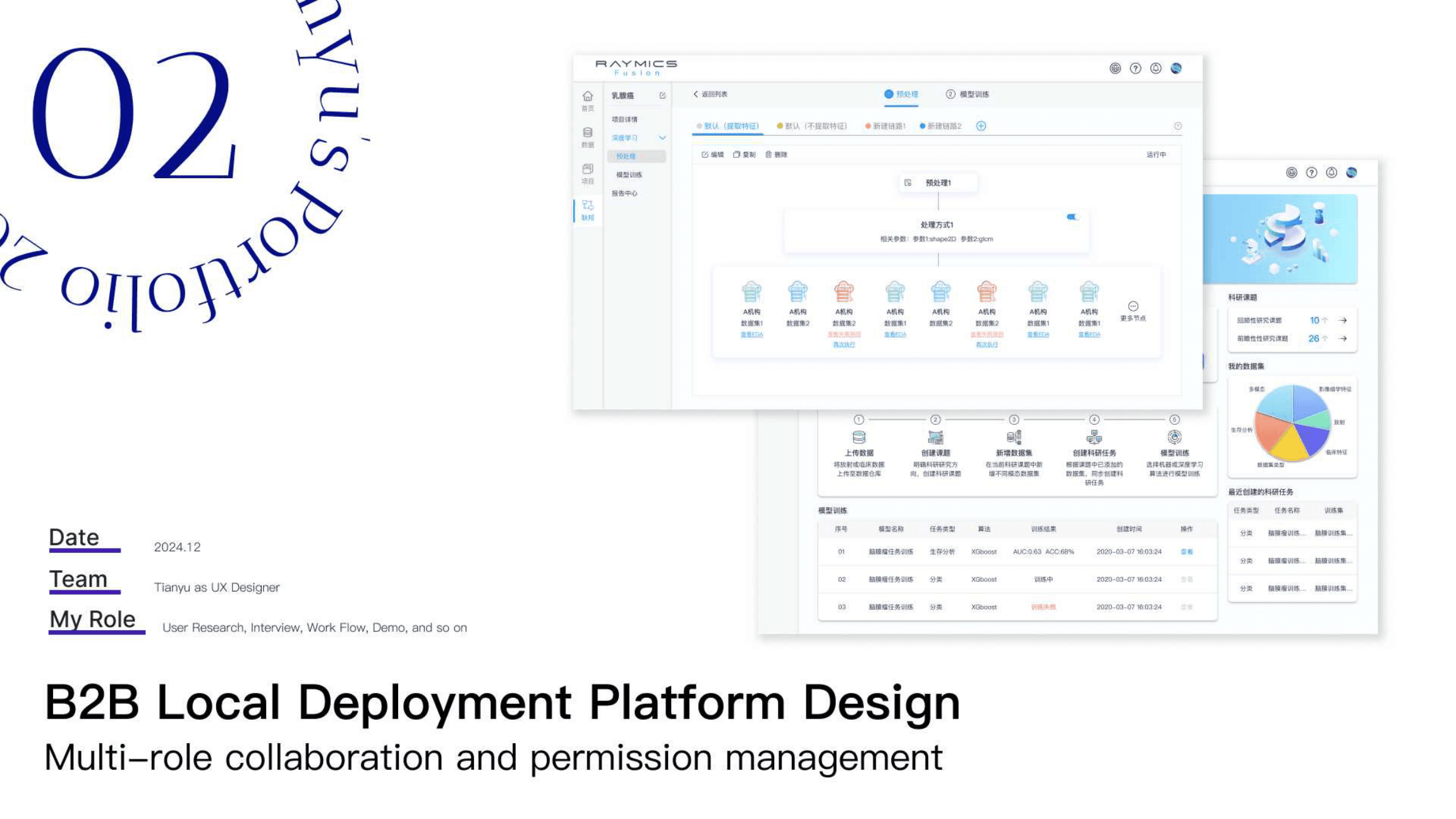
Hospitals needed local deployment for data control, and multi-institution research needed federated learning so models could train without sharing raw patient data. Building on Raymics Cloud, I designed the on-prem research platform and federated collaboration flows as one enterprise story — not two disconnected products.
Complex stakeholder system
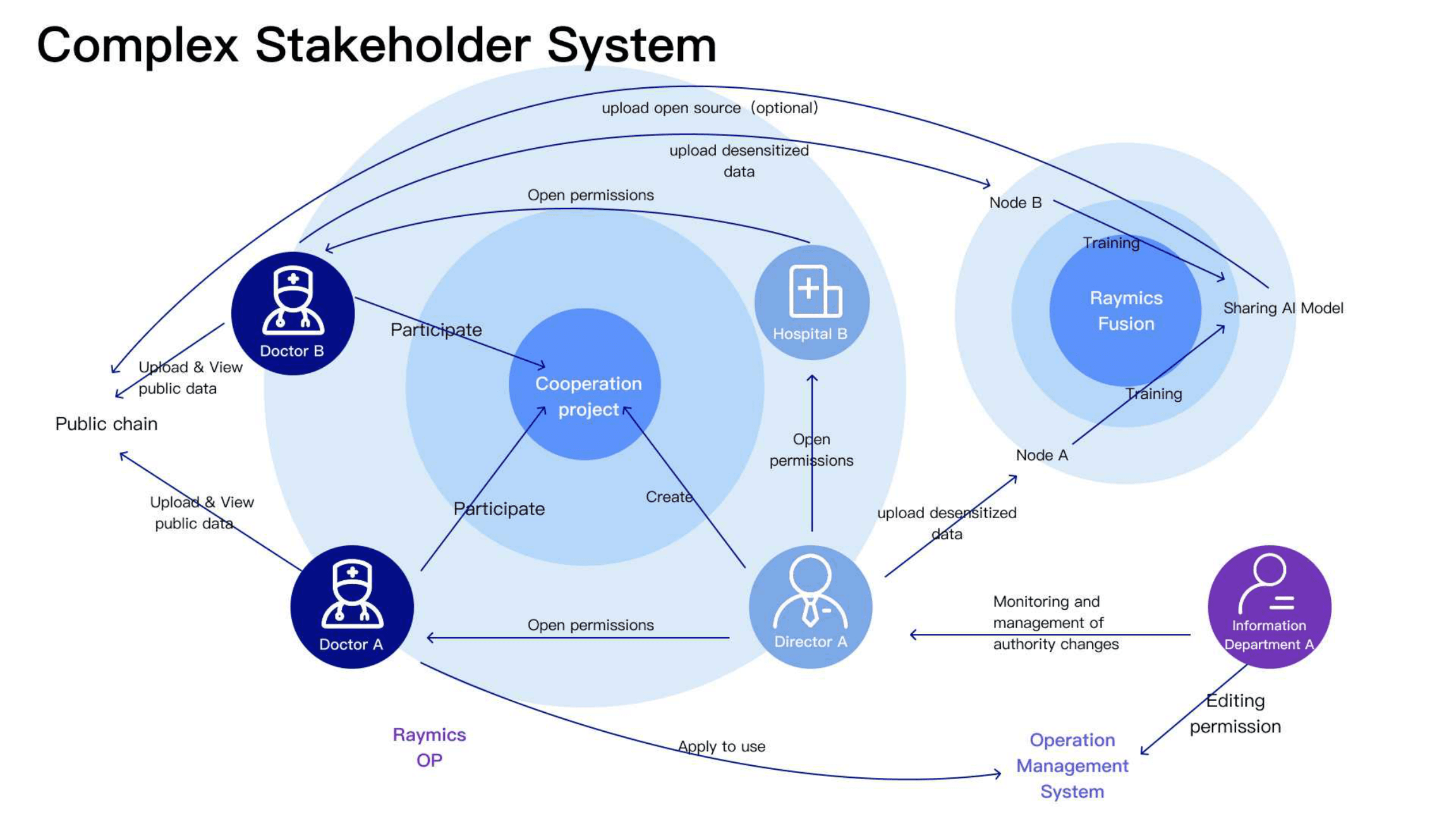
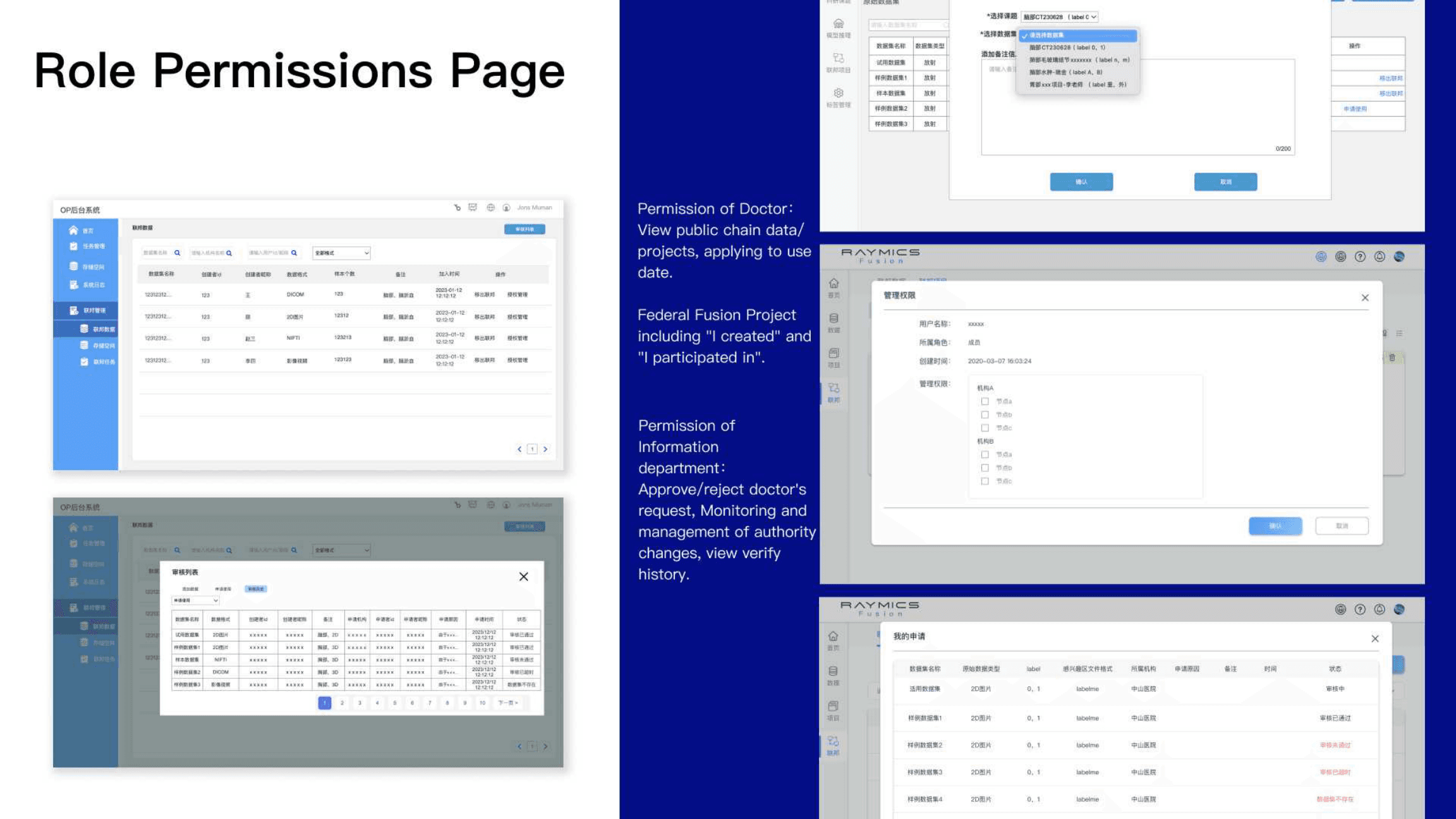
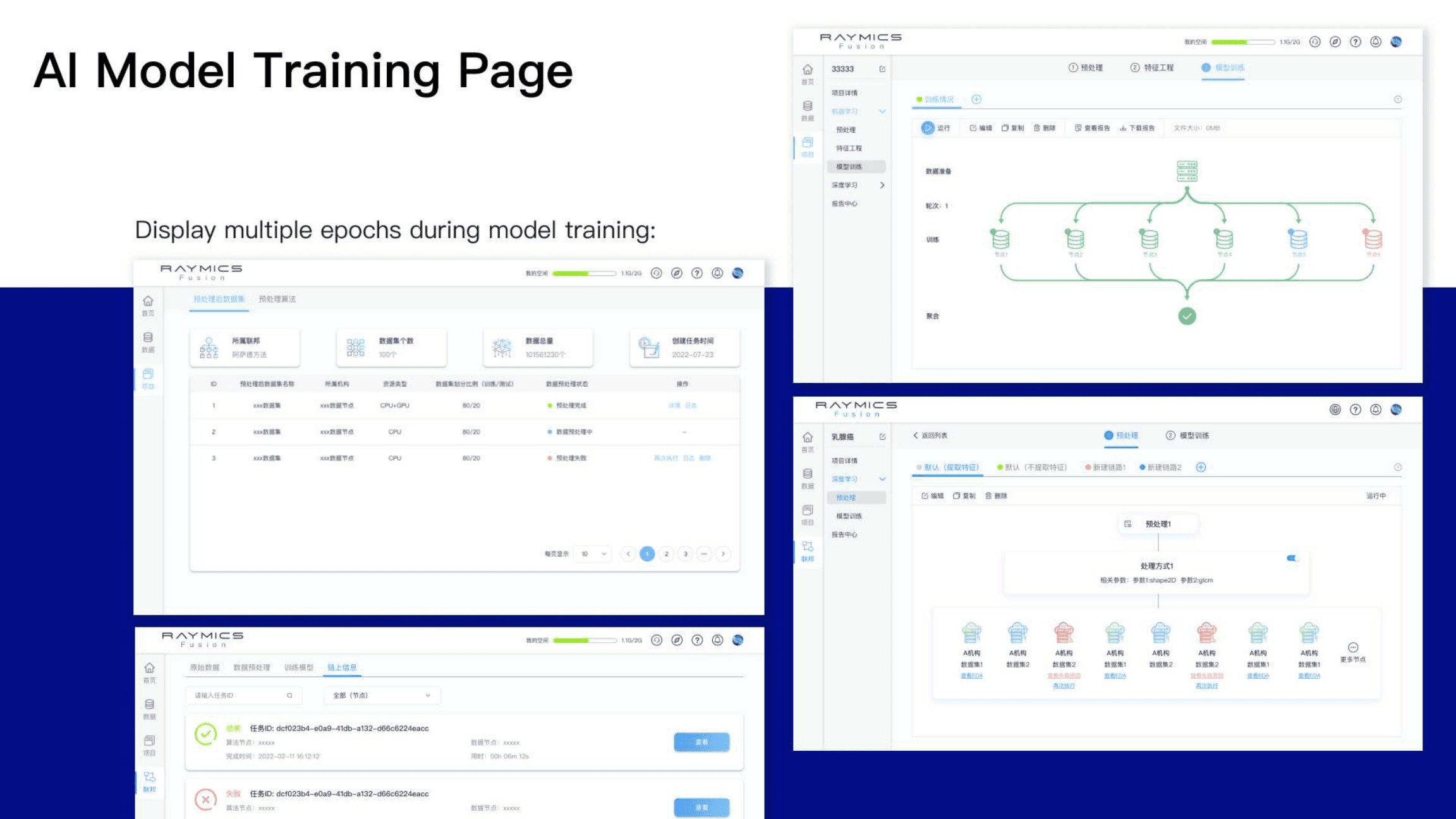
Directors create cooperation projects and open permissions; doctors participate and work with public or shared data; information departments monitor authority changes; Fusion nodes accept desensitized uploads from each institution and return a shared model. The UX had to make roles, permissions, and data paths legible.
IA & workflows
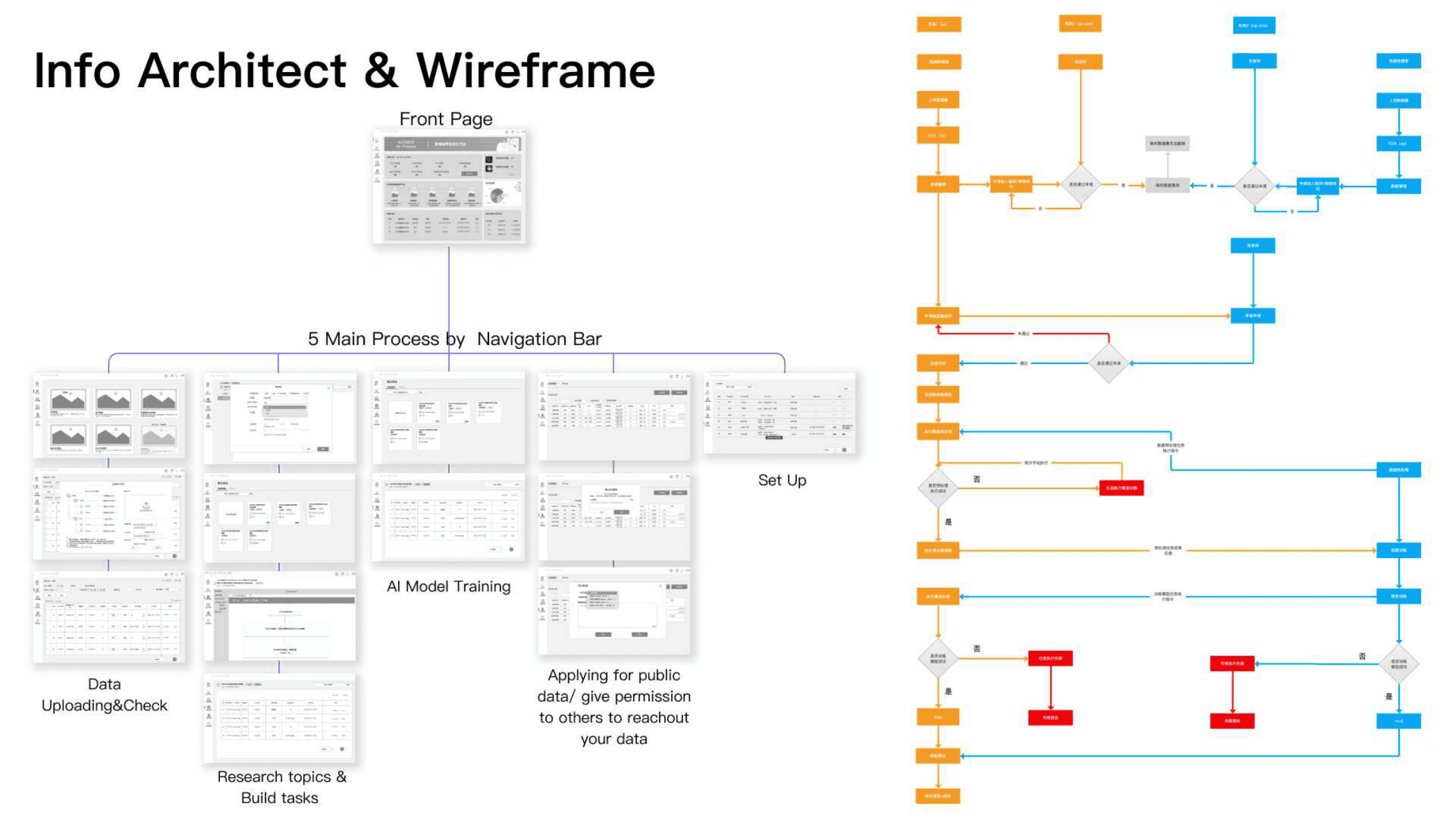
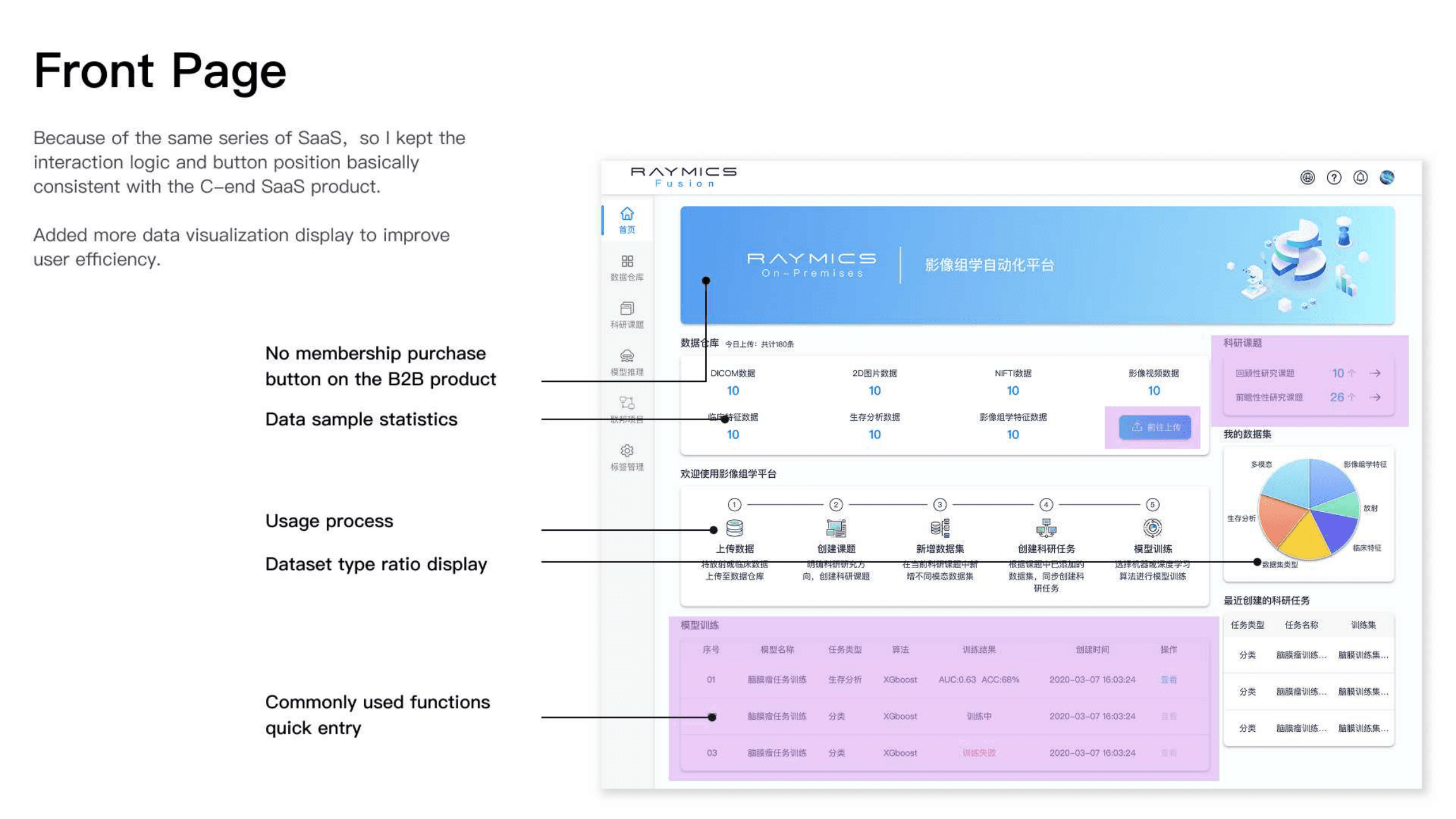
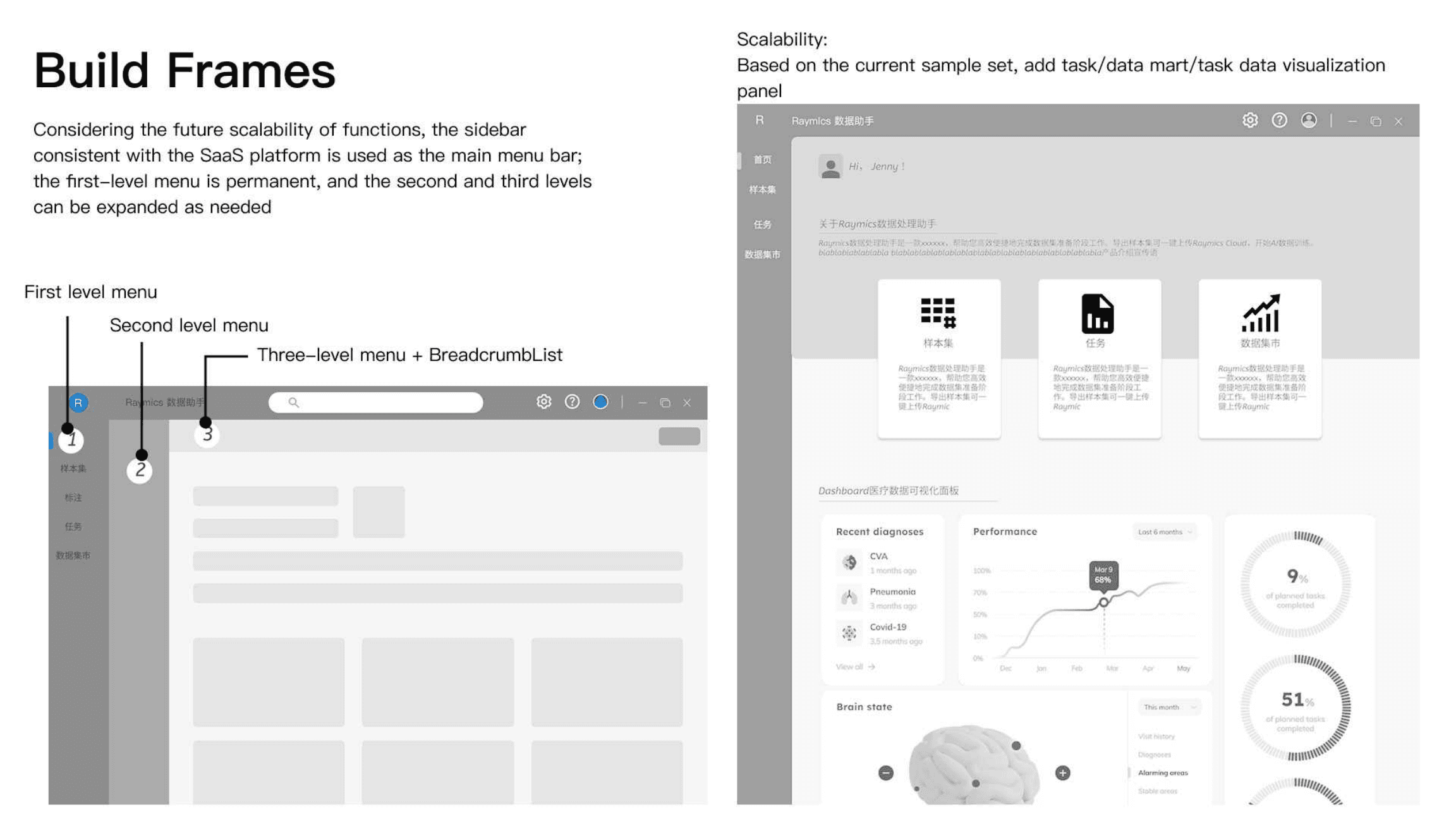
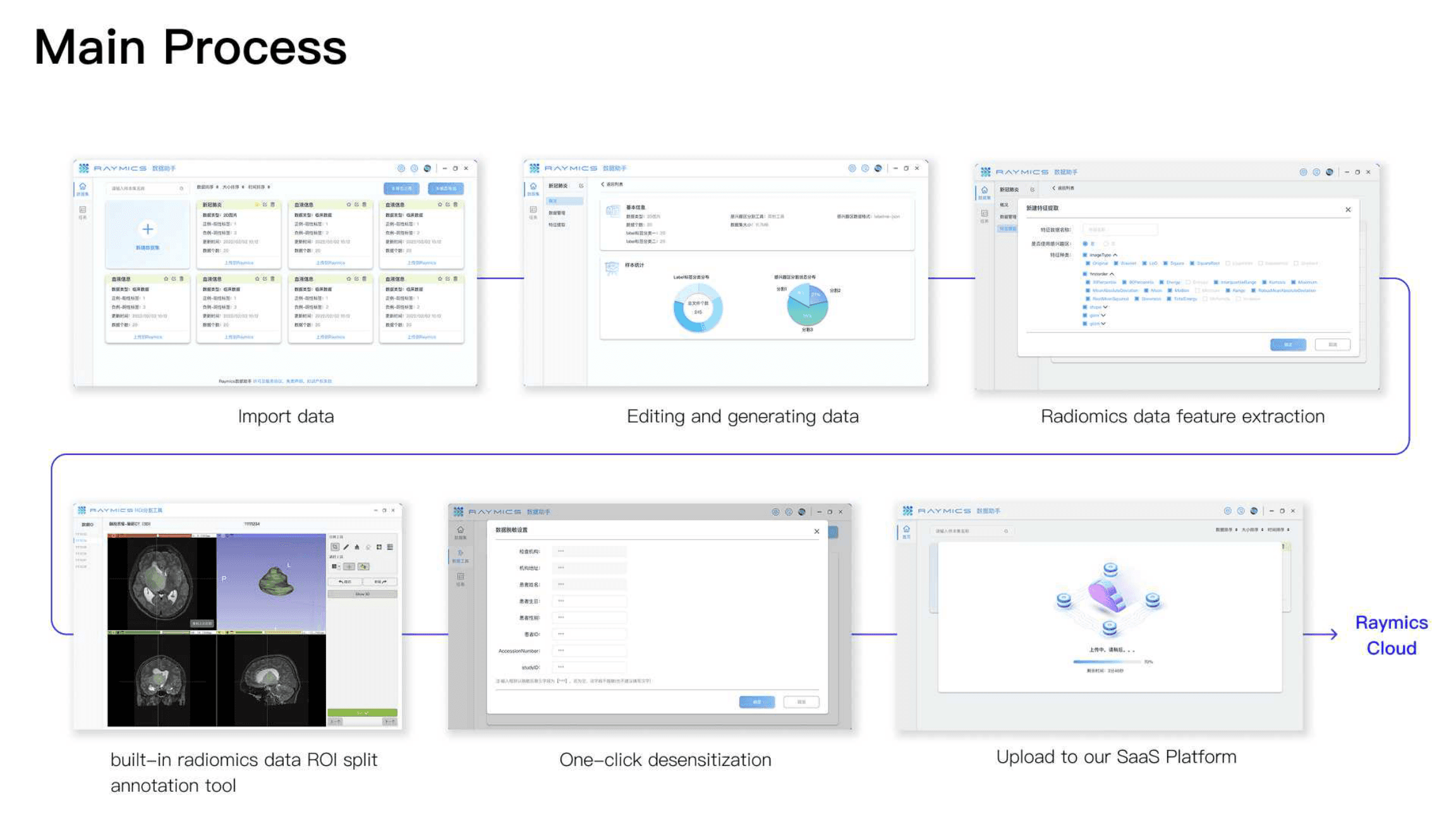
Information architecture covered data upload and checks, research topics and tasks, AI model training, public-data permissions, and setup — with a process spine from upload through training. The on-prem front page kept Cloud interaction patterns while adding denser data visualization for hospital operators.
Design system reuse
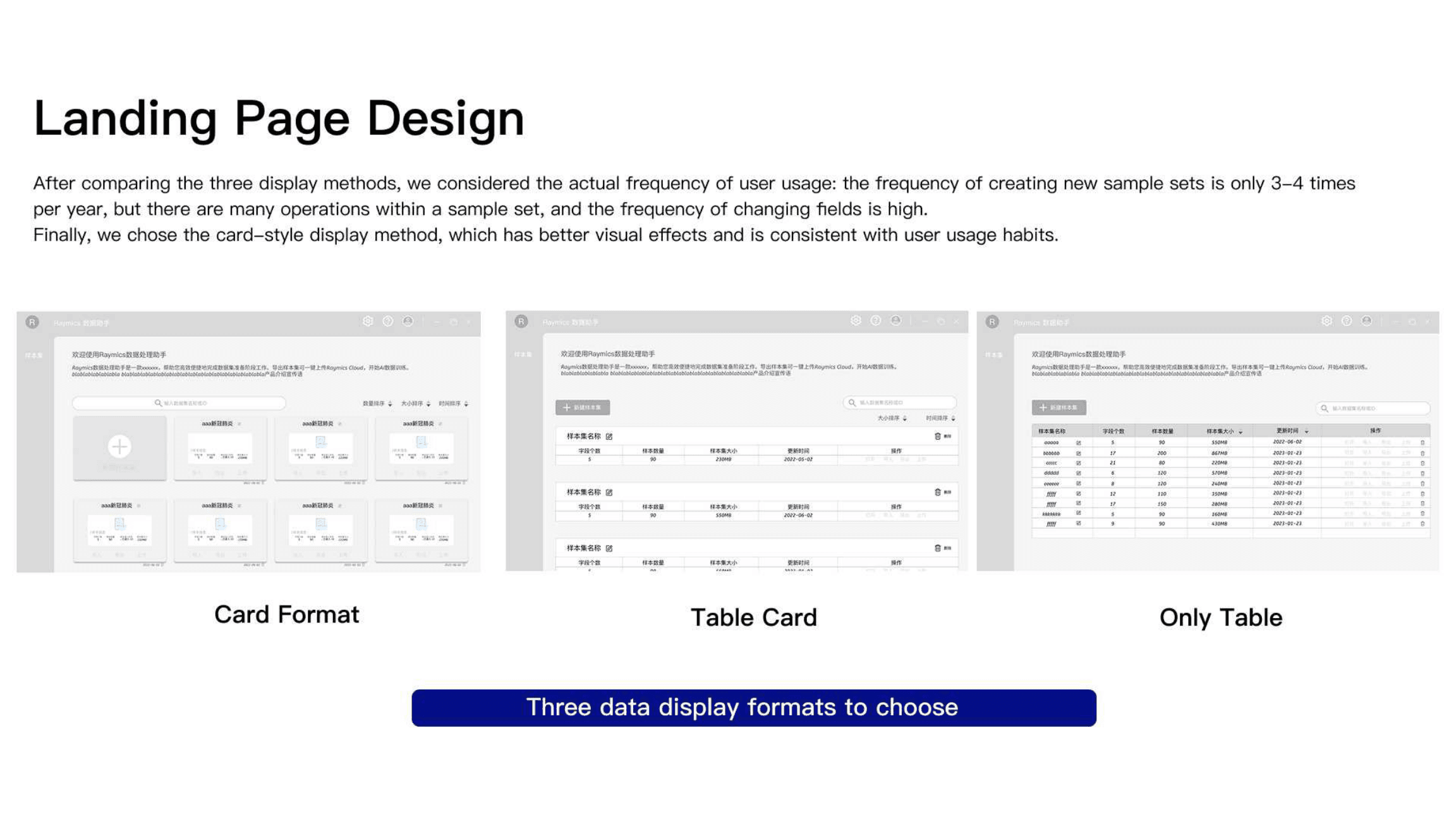
Card sizes, navigation, and status colors stayed aligned with Cloud so users could adapt quickly. Differentiation came through specialized data cards, federated institution pickers, and batch operations for doctors running multi-source training.
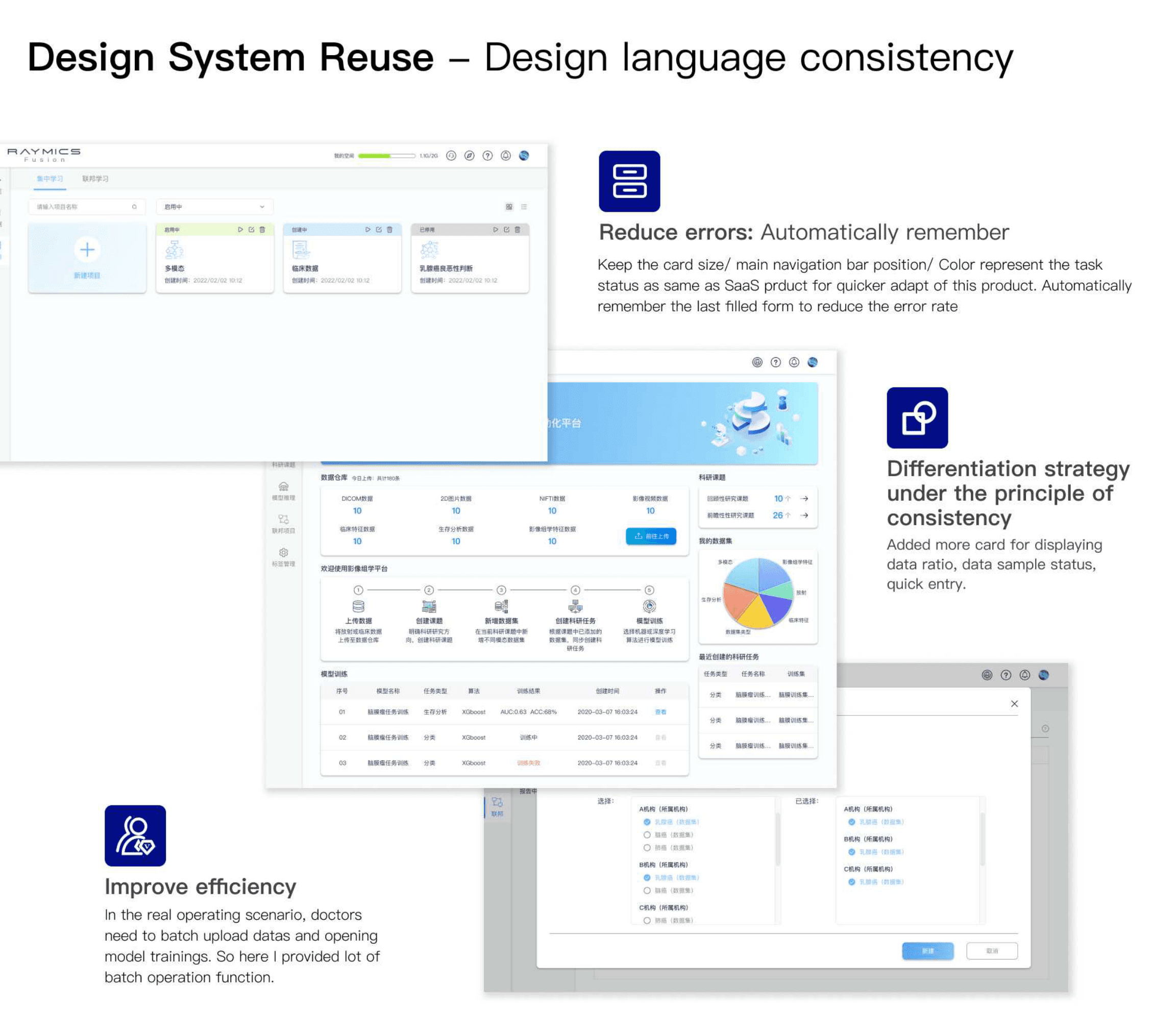
On-prem & federated results
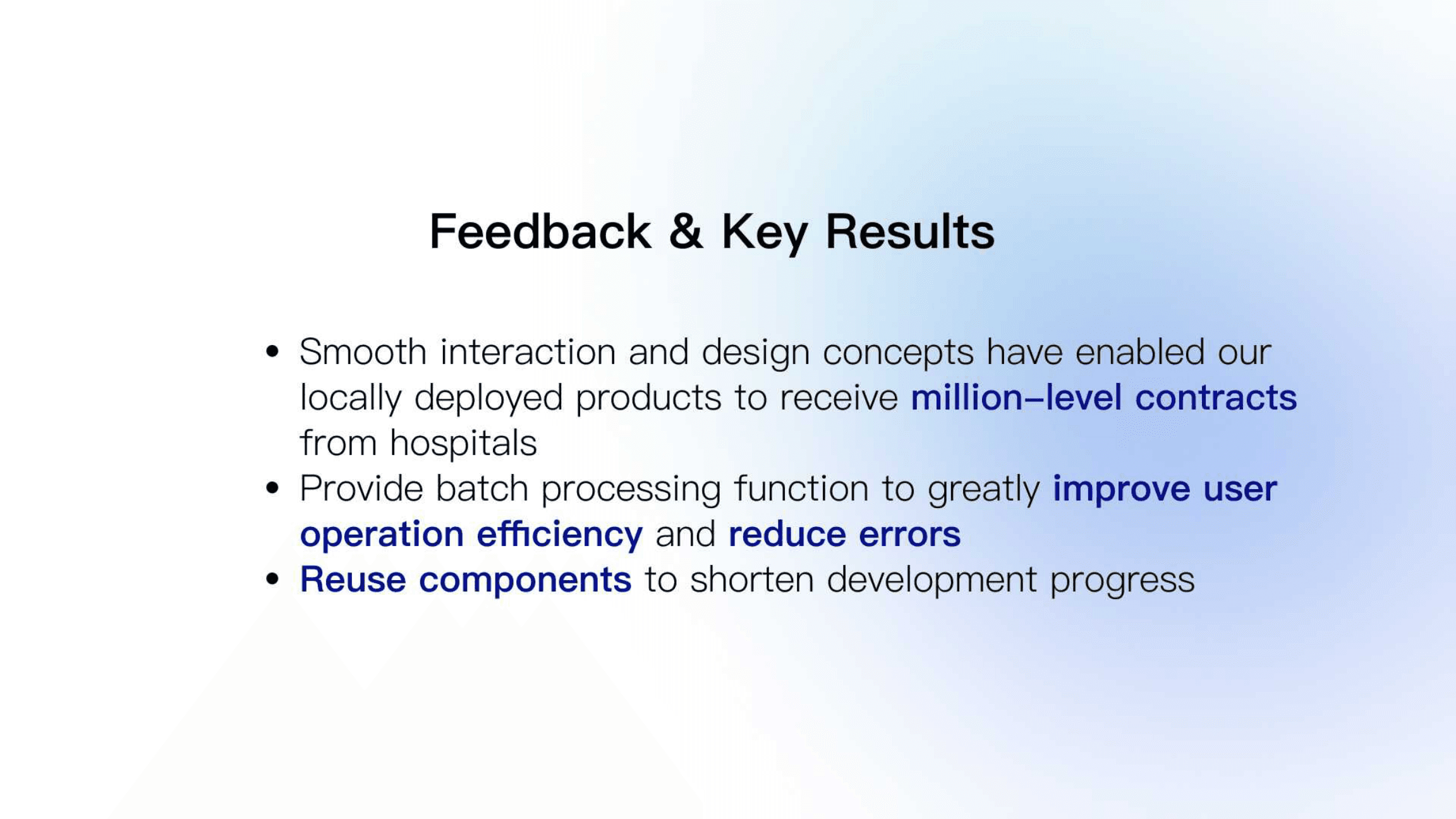
Locally deployed products supported million-level hospital contracts. Batch processing improved operation efficiency and reduced errors. Reusing Cloud components shortened development.
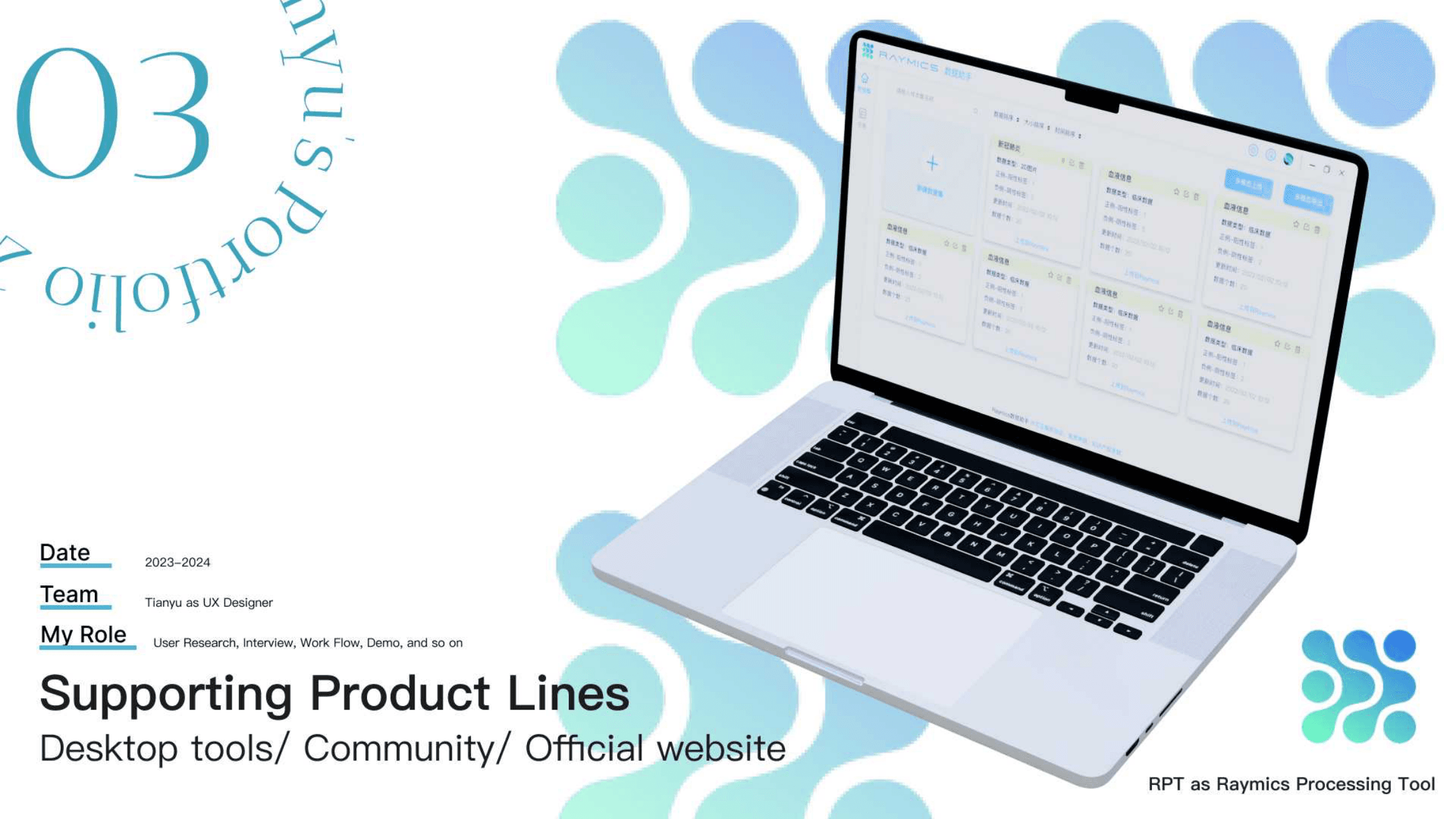
Supporting product lines
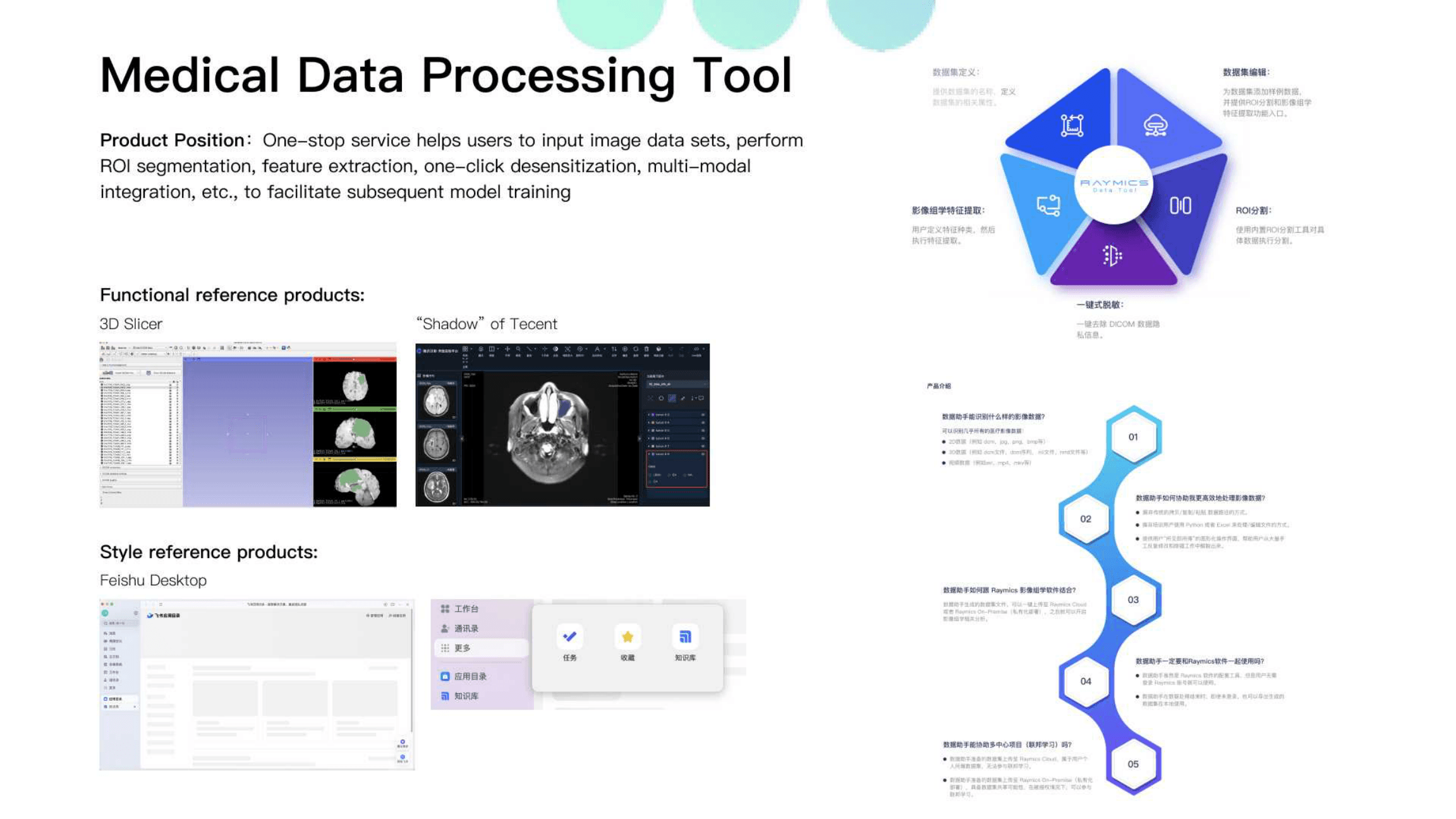
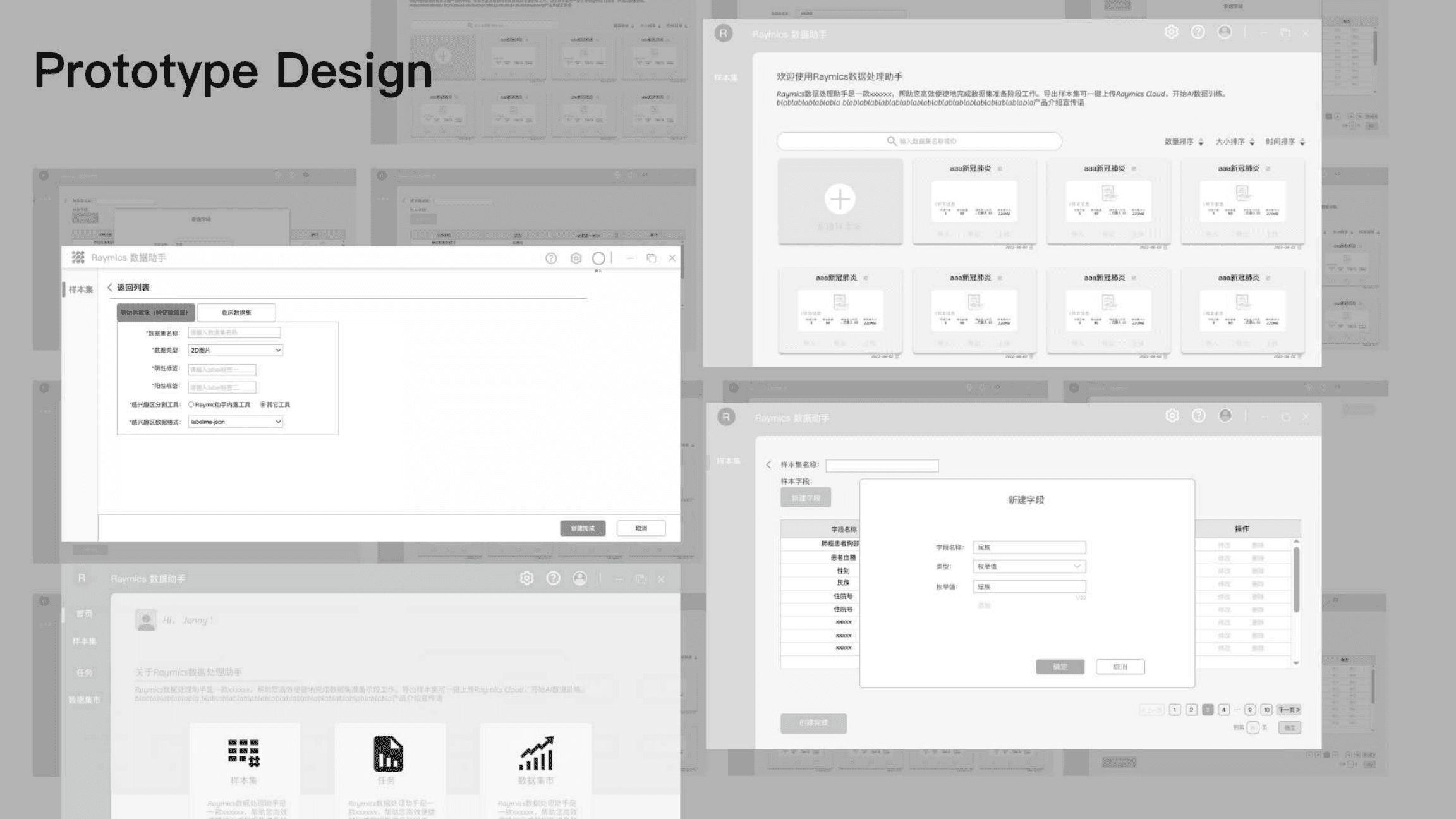
Beyond on-prem and federated learning, the suite also needed coherent desktop tools, community, and website surfaces — so researchers could move between products without relearning the system.
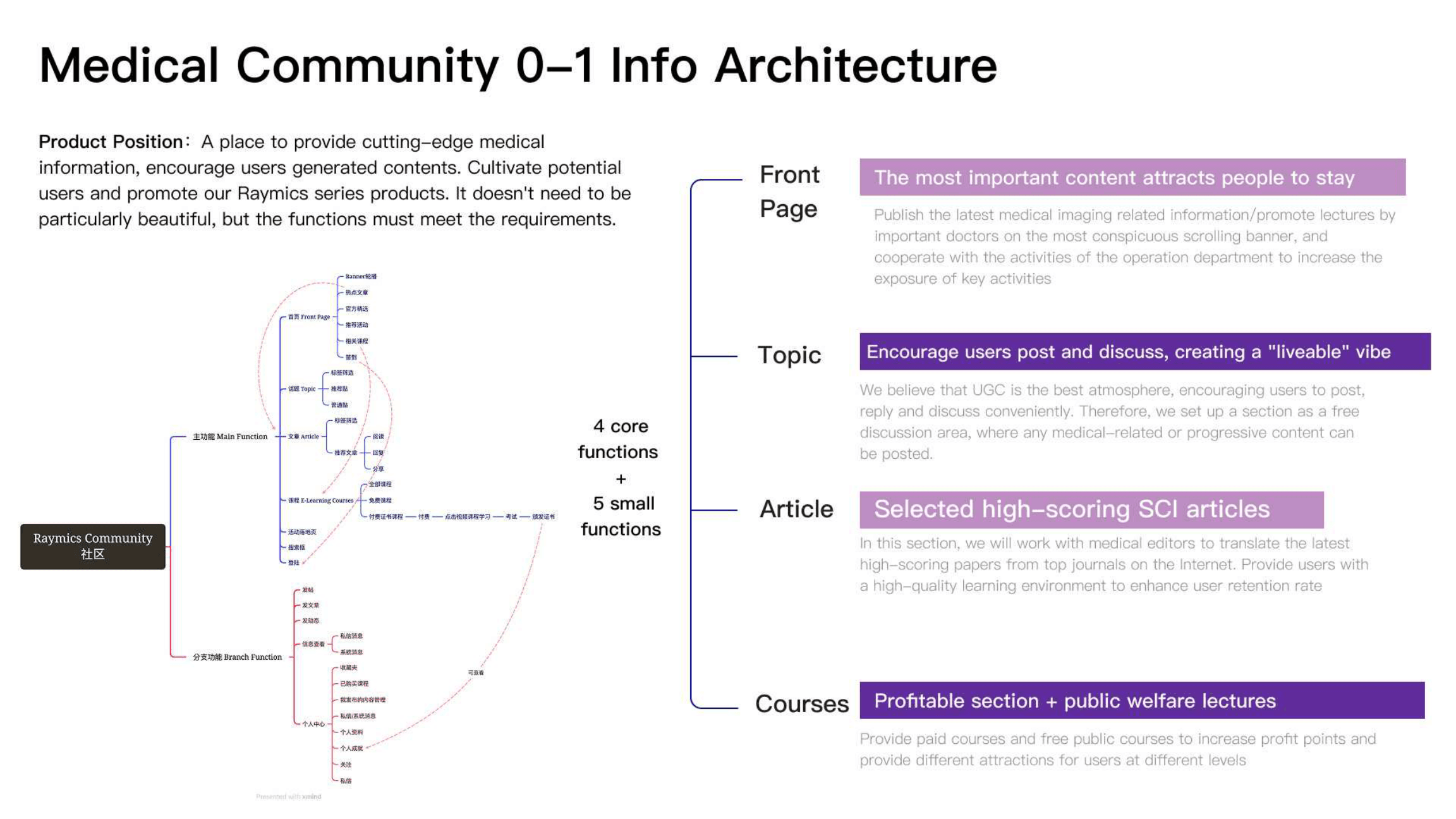
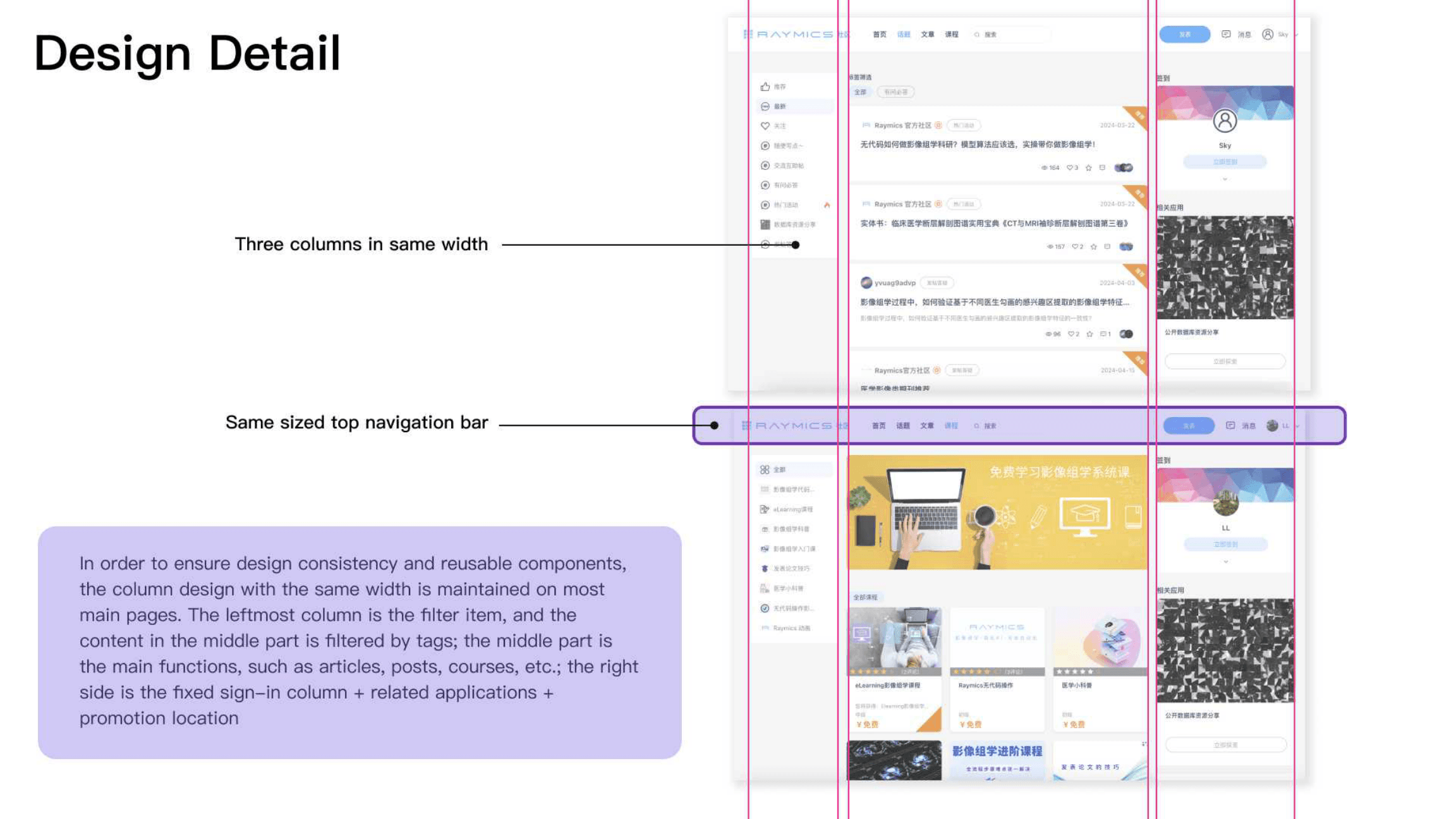
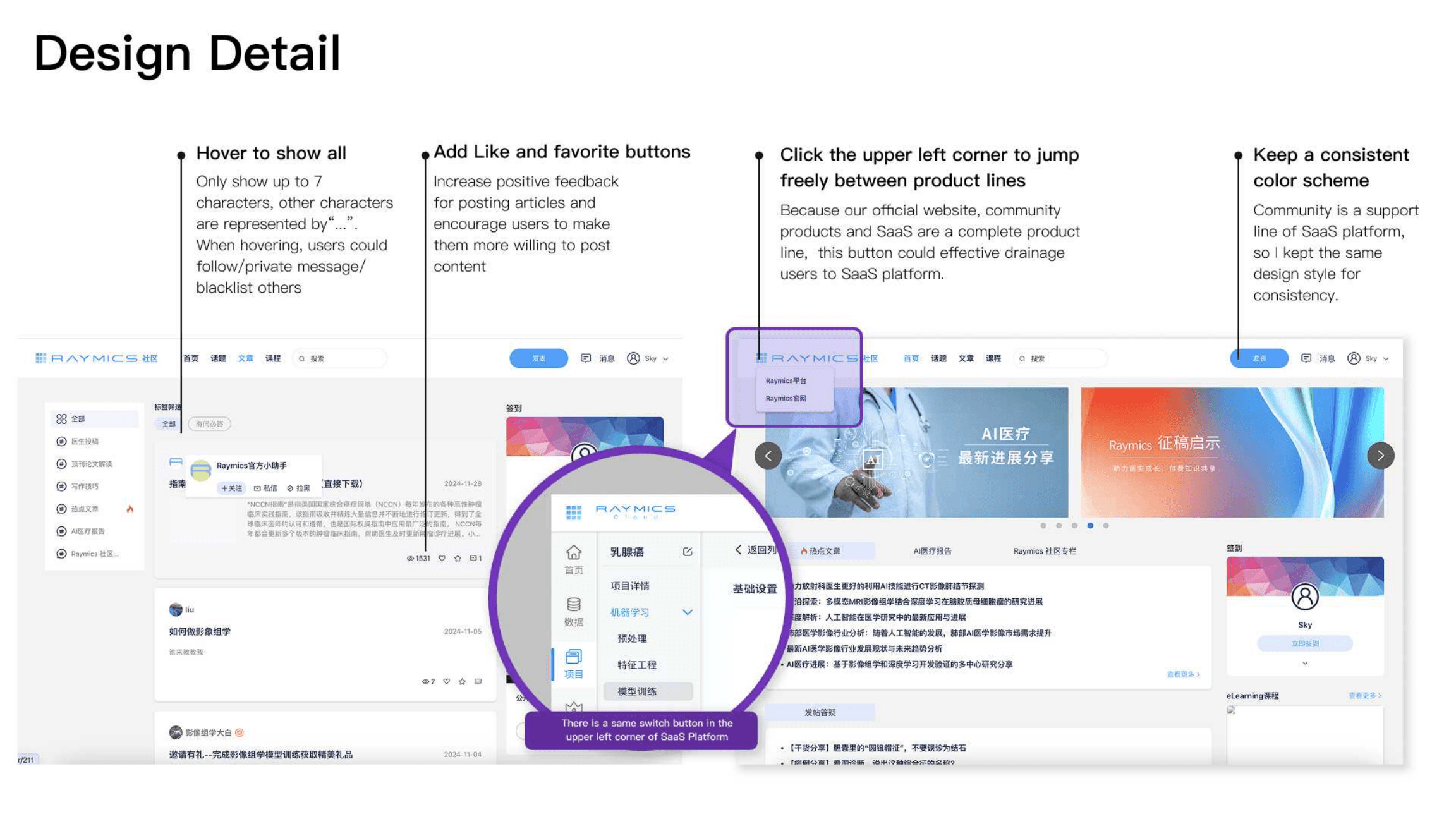
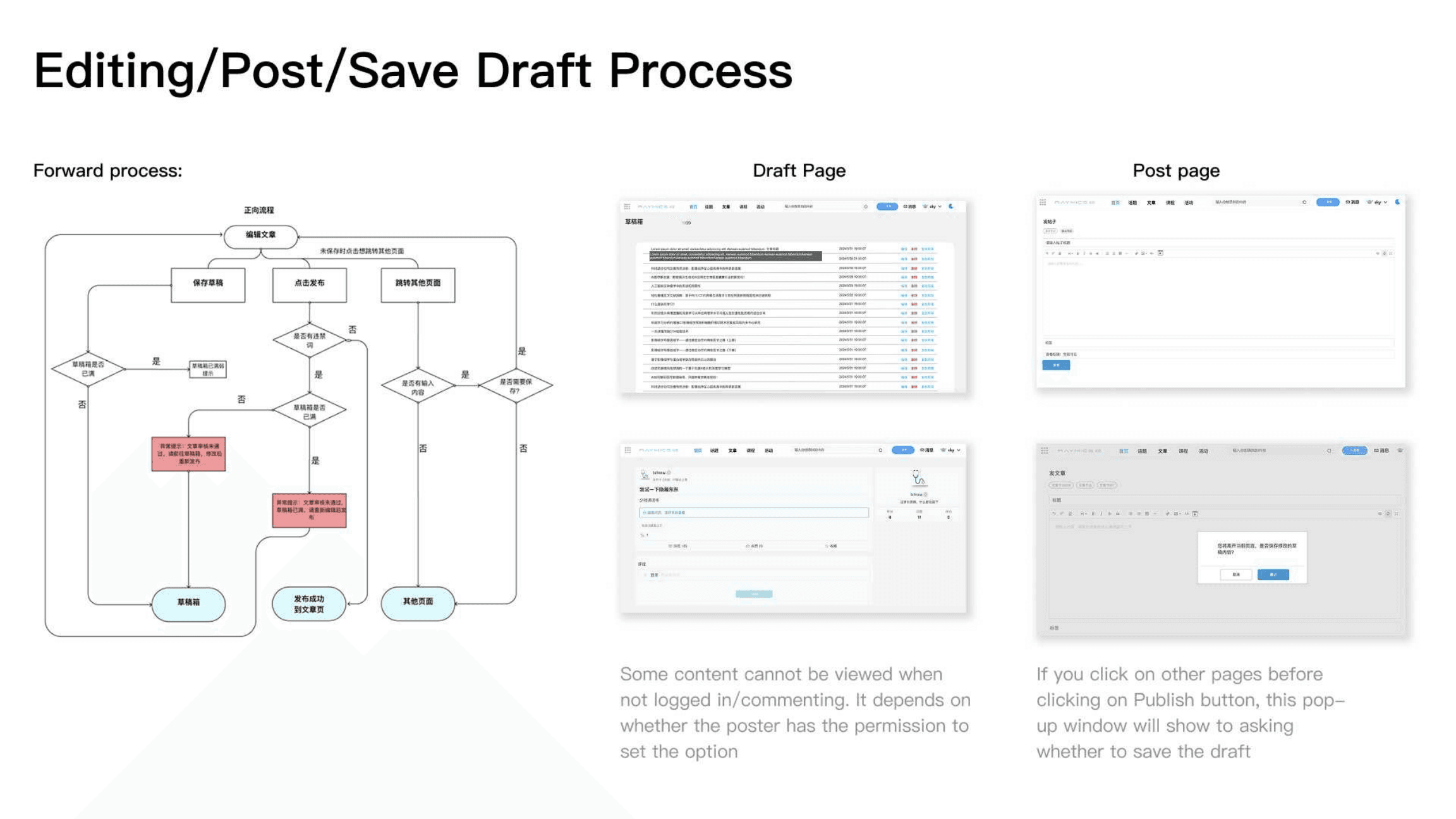
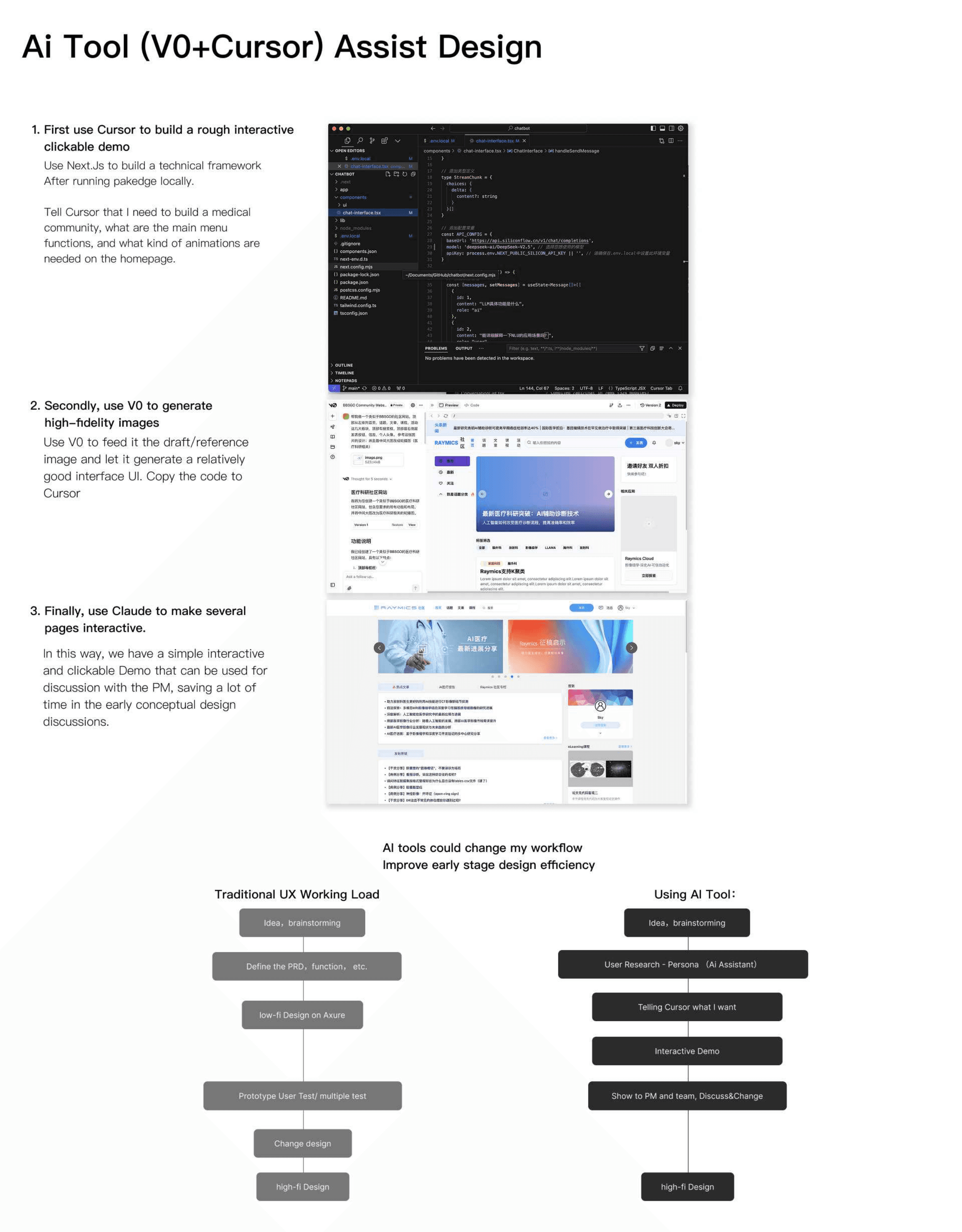
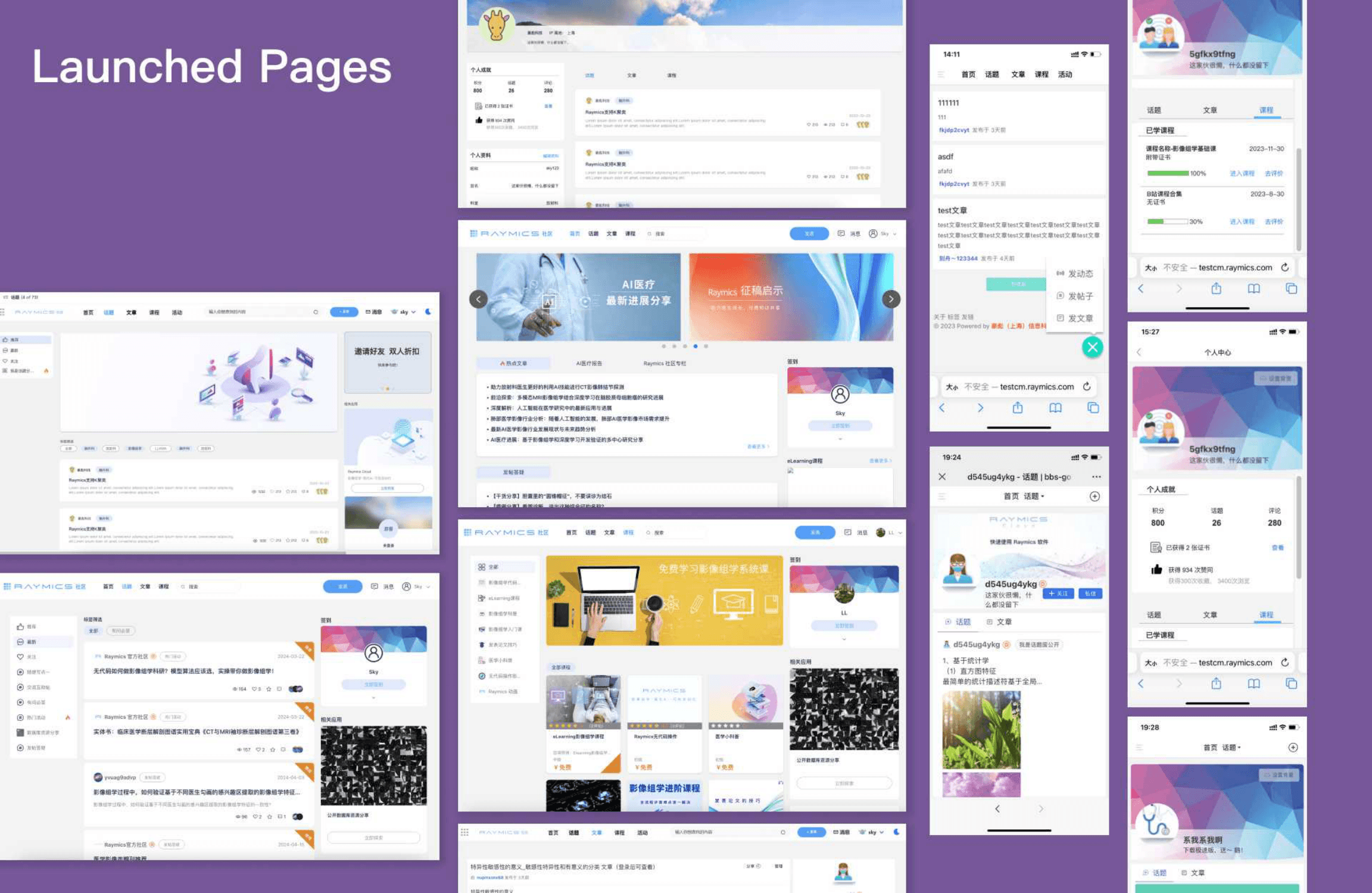
Medical community
We designed a 0–1 medical community with a clear information architecture, consistent grids and navigation, and social interactions that connected back to the product suite.
Official website
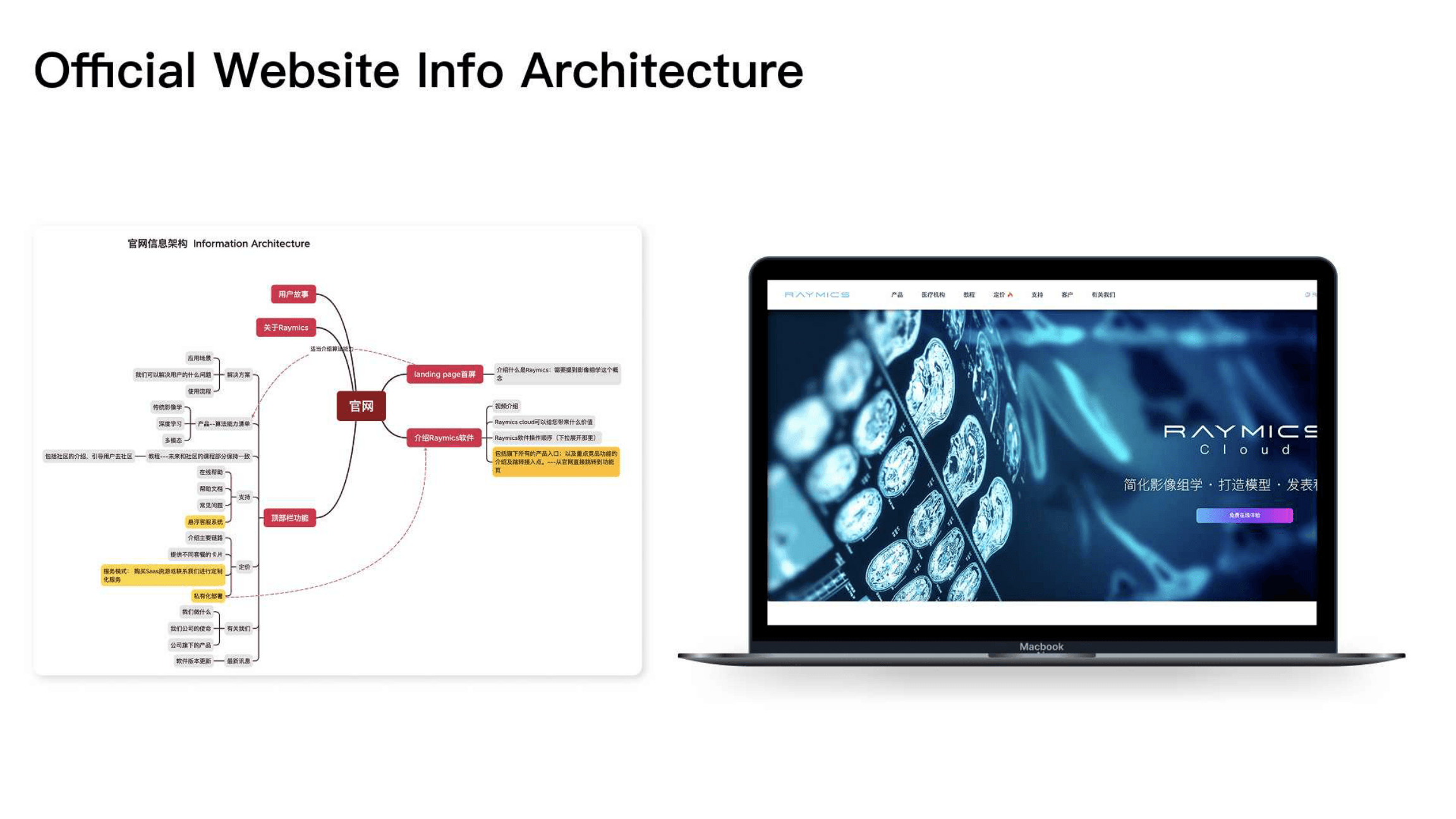
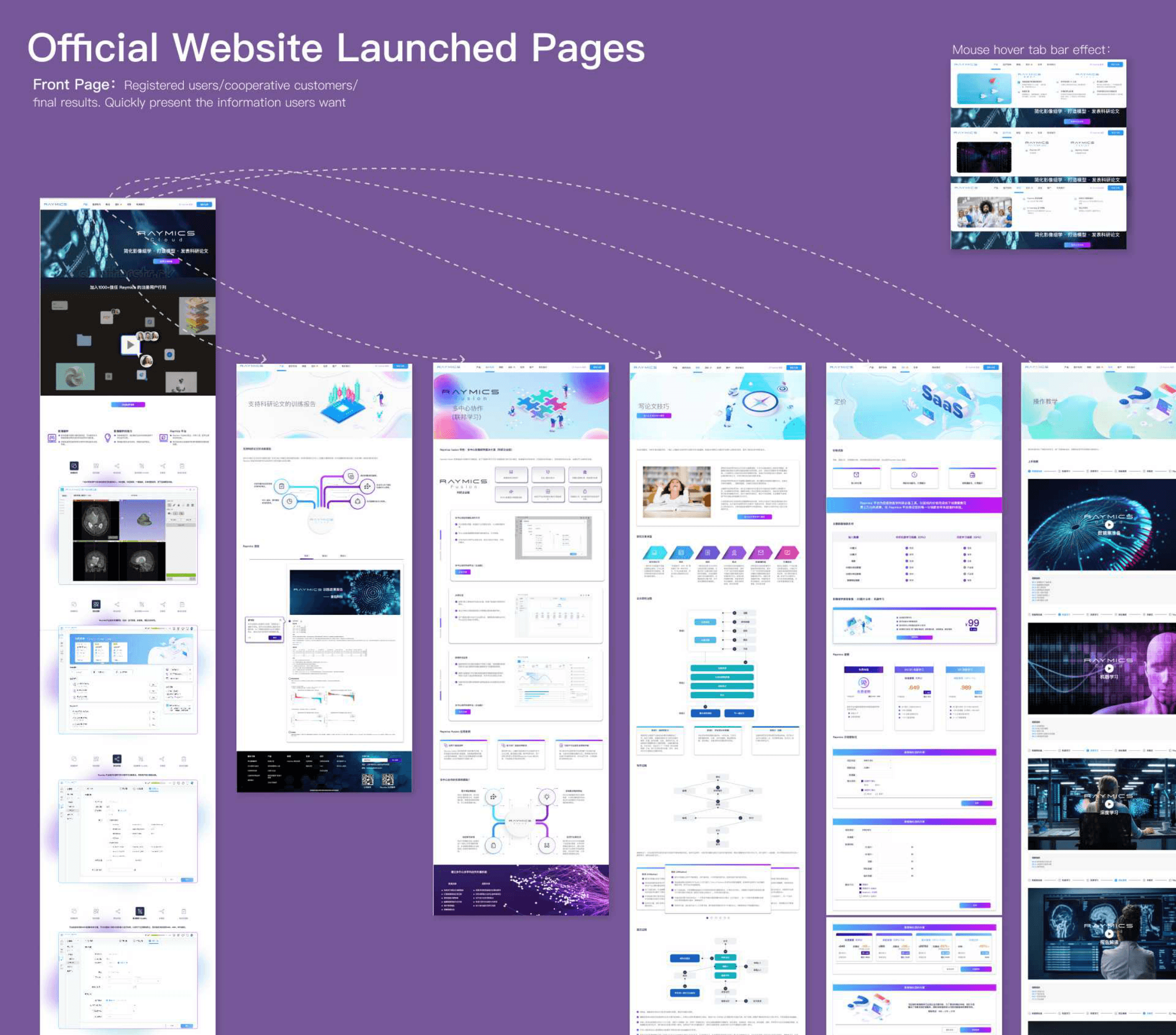
The official site IA and launched pages — home, products, pricing, and mega-menu — presented the enterprise suite as one coherent brand story.